 Importify
 How to import products from Temu to Shopify
Short answer
In this guide, you'll learn how to add products from Temu.com to your Shopify store. Follow the step-by-step guide below:...
In this guide, you'll learn how to add products from Temu.com to your Shopify store.
Follow the step-by-step guide below:
Install the Importify Chrome Extension (If it's already installed, skip this step)
Visit the Temu.com website.
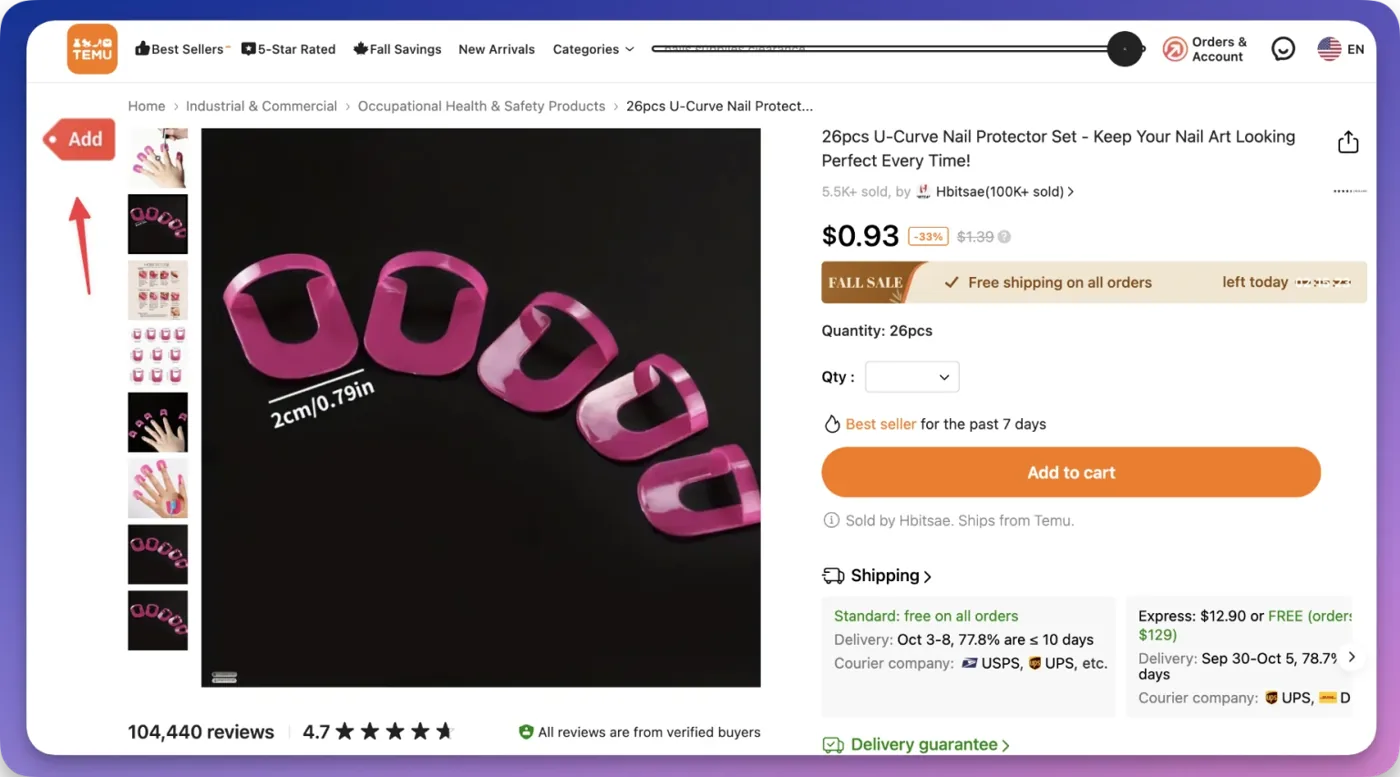
Find a product you would like to import and visit the product's page.
Click the “ADD” button on the top left of your browser (screenshot below)
Edit the product information, and click "add product" to import the item to your store.
Watch the video below:
Ready to import your first product?Start a free trial and import in minutes.
Start free trial
Still need help? Contact the Importify support team →