
How to manually fulfill orders with Importify?
Use manual fulfillment when automatic fulfillment is not available: open the supplier order page, enter customer details, place the order, then add tracking when available.
On this page
Once you receive an order on your store, the next step is to fulfill it. This involves purchasing the product from your supplier and shipping it directly to your customer's address or to your warehouse. Here's how to manually fulfill orders using Importify across different e-commerce platforms:
Access Your Orders:
- Shopify: Log into Shopify admin dashboard > Orders
- WooCommerce: WordPress admin > WooCommerce > Orders
- Wix: Wix dashboard > Orders
- Jumpseller: Jumpseller admin > Sales > Orders
Identify the Order:
- Find the order number you wish to fulfill
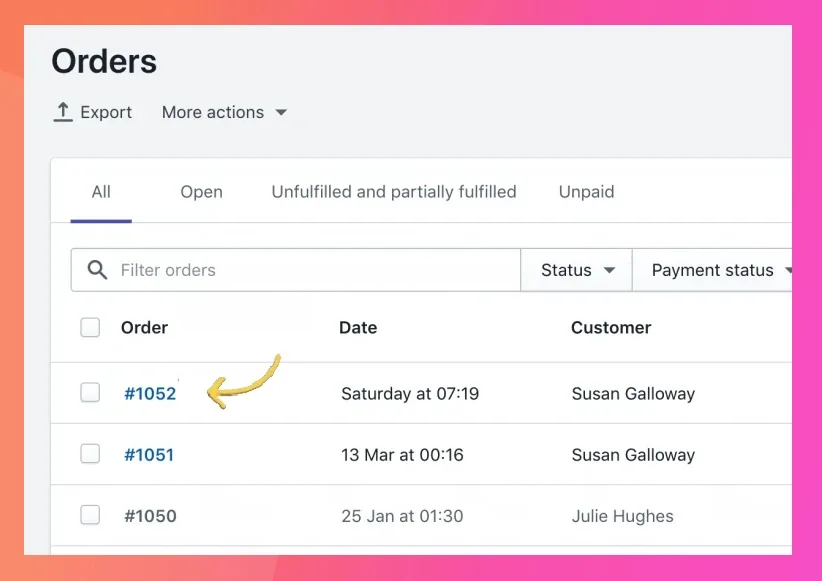
Use Importify Dashboard:
- Open the Importify dashboard
- Open Orders in the side menu
- Type the order number or a keyword in Search orders

Locate Supplier Product:
- On the order item, click Buy on [supplier], for example Buy on Temu
- This opens the product on the supplier's website
Place the Order with Supplier:
- Order the product, ensuring you select the correct variants
- Use your credit card for payment
- Enter your customer's shipping address or your warehouse address
Mark as Fulfilled in Your Platform:
- Shopify: Order details page > "Mark as fulfilled"
- WooCommerce: Edit order > Change status to "Completed"
- Wix: Order details > "Mark as Fulfilled"
- Jumpseller: Order details > "Mark as Shipped"
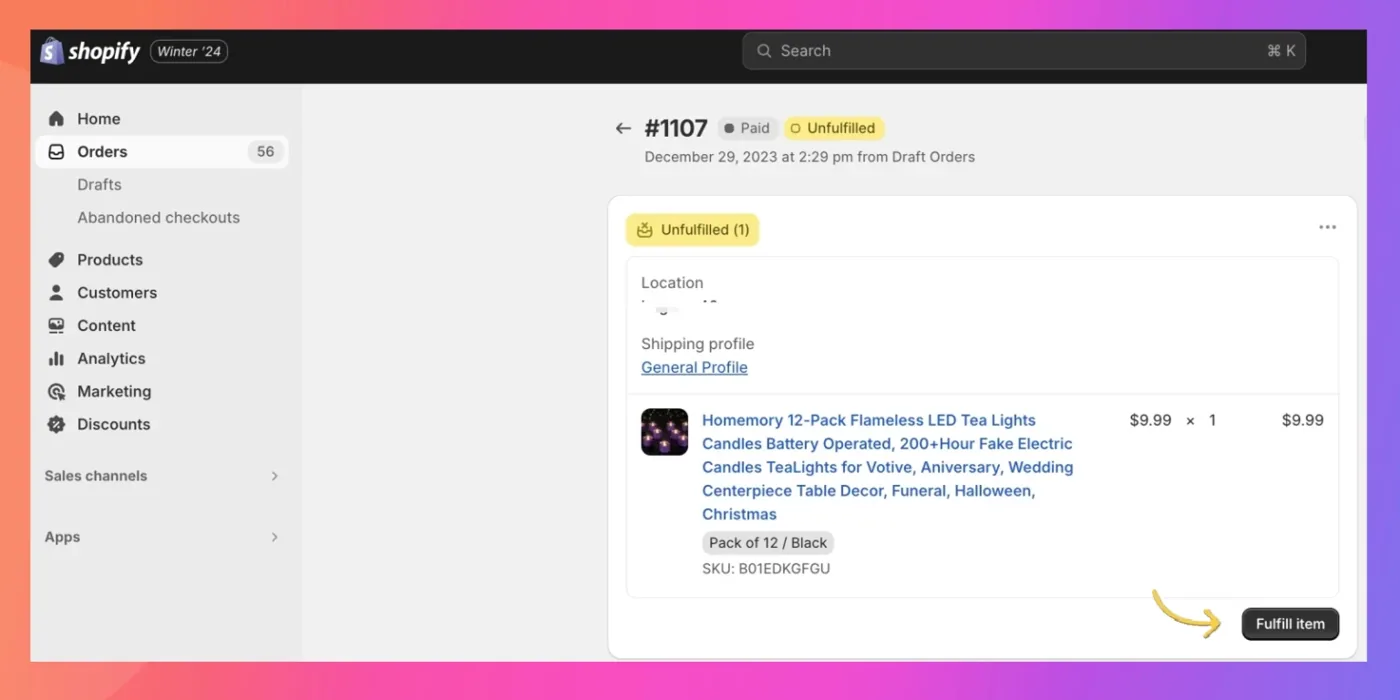
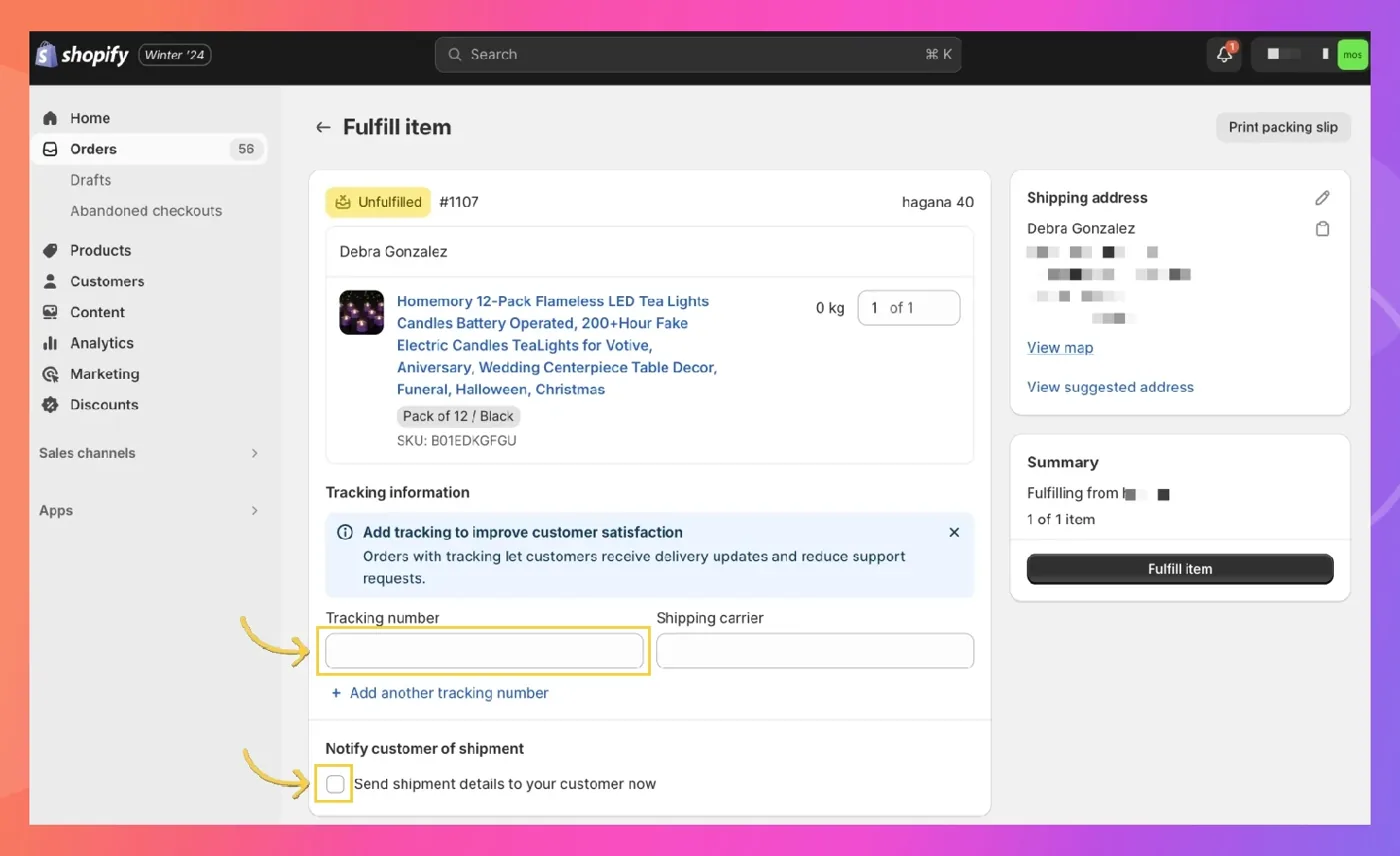
Add Tracking Information (Optional):
- Each platform has a field to enter tracking information
- Consider notifying the customer of shipment (option available on most platforms)
Important Notes:
Using AliExpress fulfillment on Gold? Watch how to place one order or all unfulfilled orders from the Importify dashboard.
- Importify's automated order fulfillment is only available for AliExpress orders on the Gold plan. Orders from other suppliers, including DHgate, are fulfilled manually.
For Shopify Users:
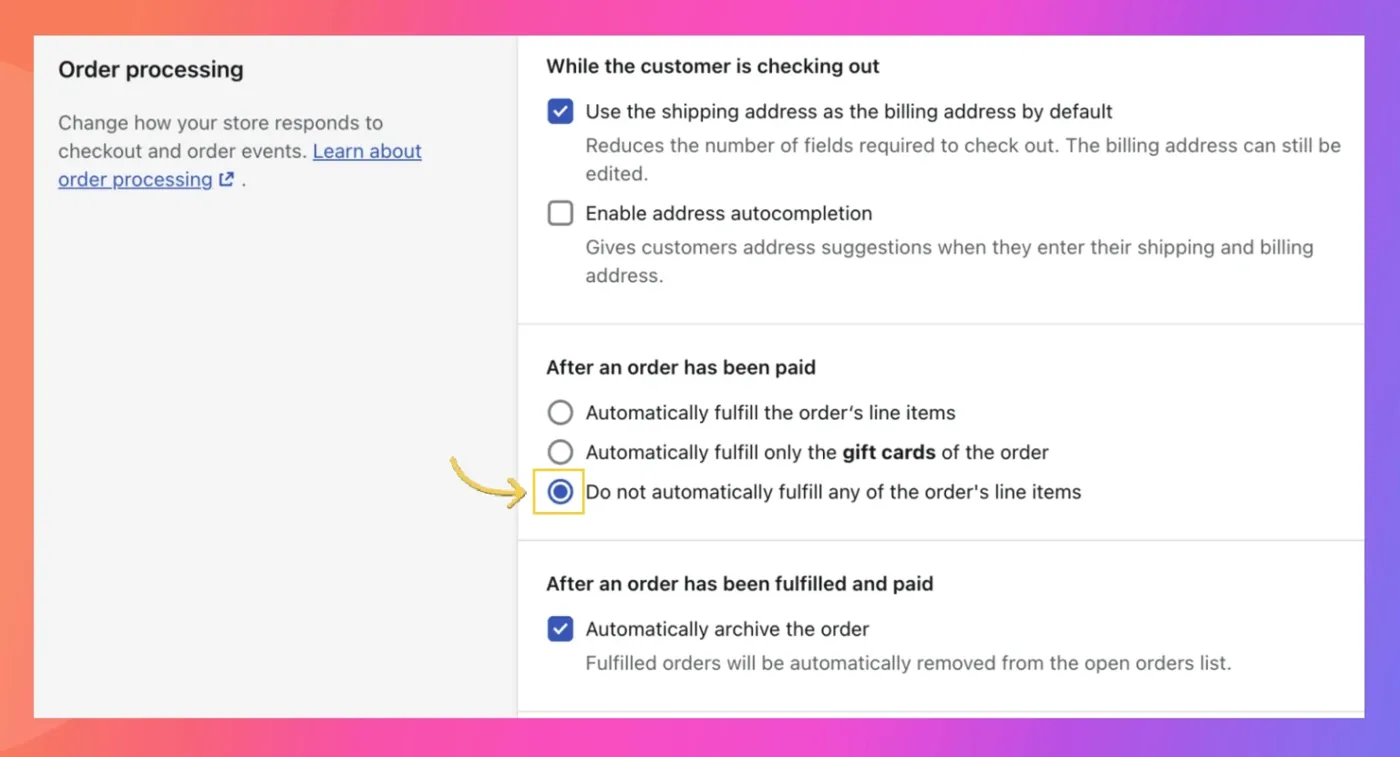
If your orders are automatically marked as fulfilled, adjust your fulfillment settings:
Go to your Shopify admin settings page
Navigate to the checkout section
Scroll down to find the fulfillment settings
Select "Do not automatically fulfill any of the order line items"
Save your changes
This ensures future orders won't be marked as fulfilled automatically, giving you manual control.
By following these steps, you can efficiently manage manual order fulfillment using Importify across all supported e-commerce platforms.