
How to Convert an Ecommerce Store Into a Mobile App
On this page
Every brand has a website, optimized for desktop and mobile. But relatively few have another core online shopping channel: a mobile app.
With mobile commerce on the rise, and the importance of owning your channels stronger than ever, the time is right to consider your own mobile app.
It also happens to be easier than ever to create a mobile app for your store. You can convert your existing ecommerce store into a mobile app and go live within a matter of weeks, without the six-figure investment that typically came with developing a native app.
Keep reading and we will explain how to do this, why you might need an app, and the end goal you should keep in mind when converting your ecommerce store into a mobile app.
Quick summary
Converting your ecommerce store into a mobile app means building a new mobile channel for your customers, while keeping a consistent experience with your website.
You can do that with a custom app service like MobiLoud, or with a DIY no-code tool that lets you create an app linked to your site on the backend.
The service approach is usually best for high-revenue brands, while a DIY tool is cheaper upfront and can fit smaller ecommerce businesses.
Why Your Ecommerce Store Needs a Mobile App
Too many store owners see a mobile app as a vanity project. Today, it can be a real shopping surface, especially for brands that already have repeat buyers.
Customer acquisition costs are climbing year over year, and the brands maintaining strong margins are often those that get consistent revenue from regular customers.
The alternative means paying a tax on every sale you get. That is not sustainable, and it becomes less profitable over time.
A mobile app is one channel for loyalty and repeat purchases. It lives on the customer's home screen, and it can support repeat sessions, saved preferences, and higher lifetime value when the store already has product-market fit.
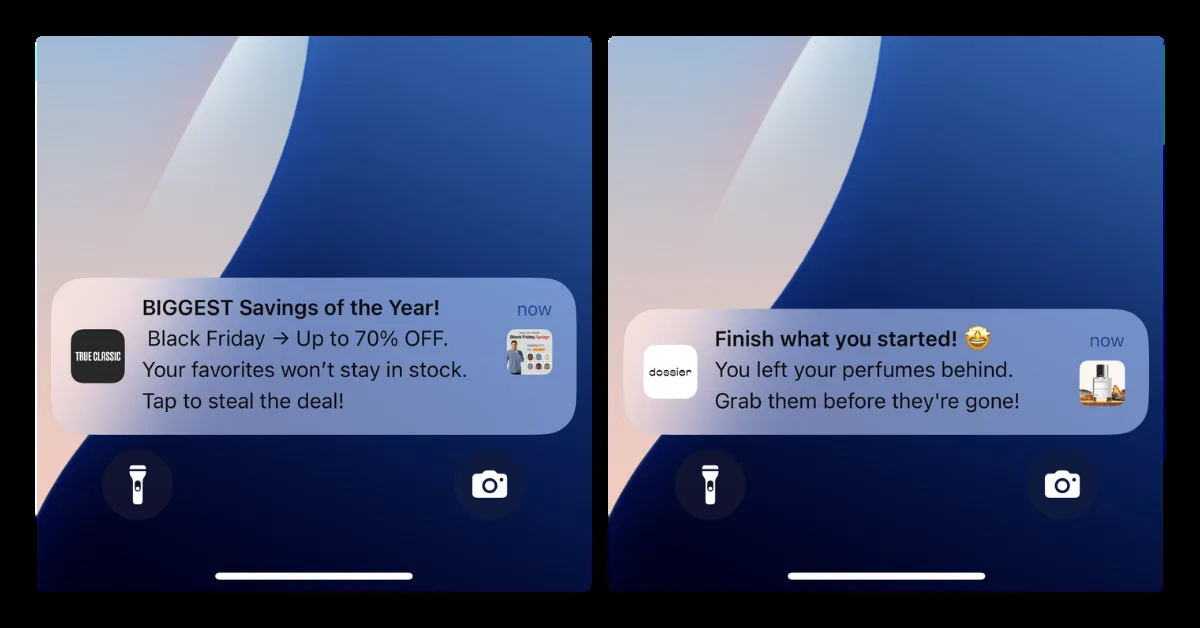
Push notifications are a big part of why. They are a channel you own: no cost per send, no ad auction, and a direct message to customers who have opted in.
A message about a restock, a price drop, or a sale going live can bring a repeat buyer back in seconds, at a fraction of what the same visit would cost through paid ads.
MobiLoud's ecommerce benchmark report shows that brands with apps typically average between 10% and 35% of their overall online revenue through the app.
For a brand doing mid-seven figures in annual revenue, that means a mobile app could become a meaningful revenue channel with stronger margins than paid acquisition.
That is the kind of asset many ecommerce businesses want. The key is timing: the app works best when repeat customers already have a reason to come back.
What "Converting" Your Store Into a Mobile App Means
The biggest mental block founders hit is treating an app like a second business. New product, new design, new content, new operational surface.
That framing is what makes the project feel impossible, and it is wrong for most ecommerce brands.
Converting your store into a mobile app means giving your customers another surface to shop on. That is it.
You are not building a different storefront. In most cases, you should not.
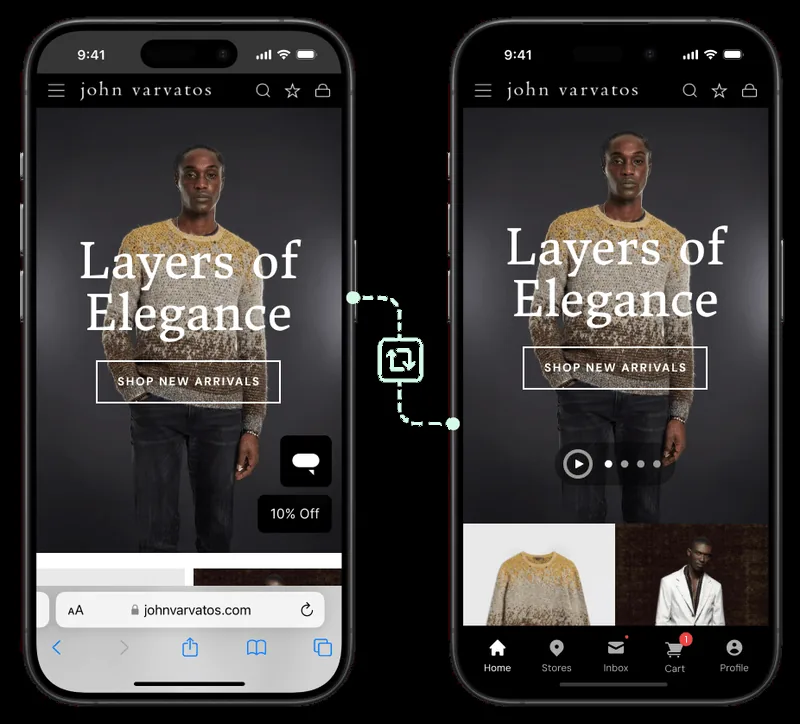
You are shipping the same store, delivered as a native app on iOS and Android, alongside your website.
Your catalog, product variants, inventory, and pricing should all come from a shared source of truth: the same platform your site runs on, whether that is Shopify, Magento, or something else.
Change a price, add a product, or sell out of a size, and the app should show it the same way your website does. Customers should check out through that same checkout too, with the same payment methods and shipping options.
There is no second catalog to manage and nothing to keep in sync by hand.
The app-specific edge
Launching an app is not just about squeezing your website into a new frame.
You will want to layer optimizations and unique elements on top: app-only offers, a cleaner home screen for repeat buyers, a faster reorder flow, push notifications for back-in-stock products, and abandoned cart messages.
These are the kind of things that give customers a reason to use your app instead of your website.
But the main value of the app is not that it is a different product from your website. It is that the same store, when it lives on a customer's home screen instead of behind a browser bookmark, can get used more often.
How to Convert Your Ecommerce Store Into a Mobile App
There are a few different ways to convert an ecommerce site into an app.
All of them involve creating a native app that your customers can download and run on their own devices, then linking it to the backend of your store through Shopify, Magento, or another ecommerce platform.
Here are the main ways to do it.
1. A custom app service
Custom app services like MobiLoud are built specifically for converting ecommerce stores into native mobile apps.
This is the most comprehensive approach. The team behind the service configures, builds, and publishes your app for you, using your website as the foundation.
You carry over the features and design of your website into a custom app, optimized for repeat buyers. Your content and design stay synced across both channels, making ongoing maintenance easier and keeping the user experience consistent between your website and app.
This is a useful option for larger, highly customized stores that do not fit well within the template-based approach of a no-code app builder.
2. DIY no-code app builders
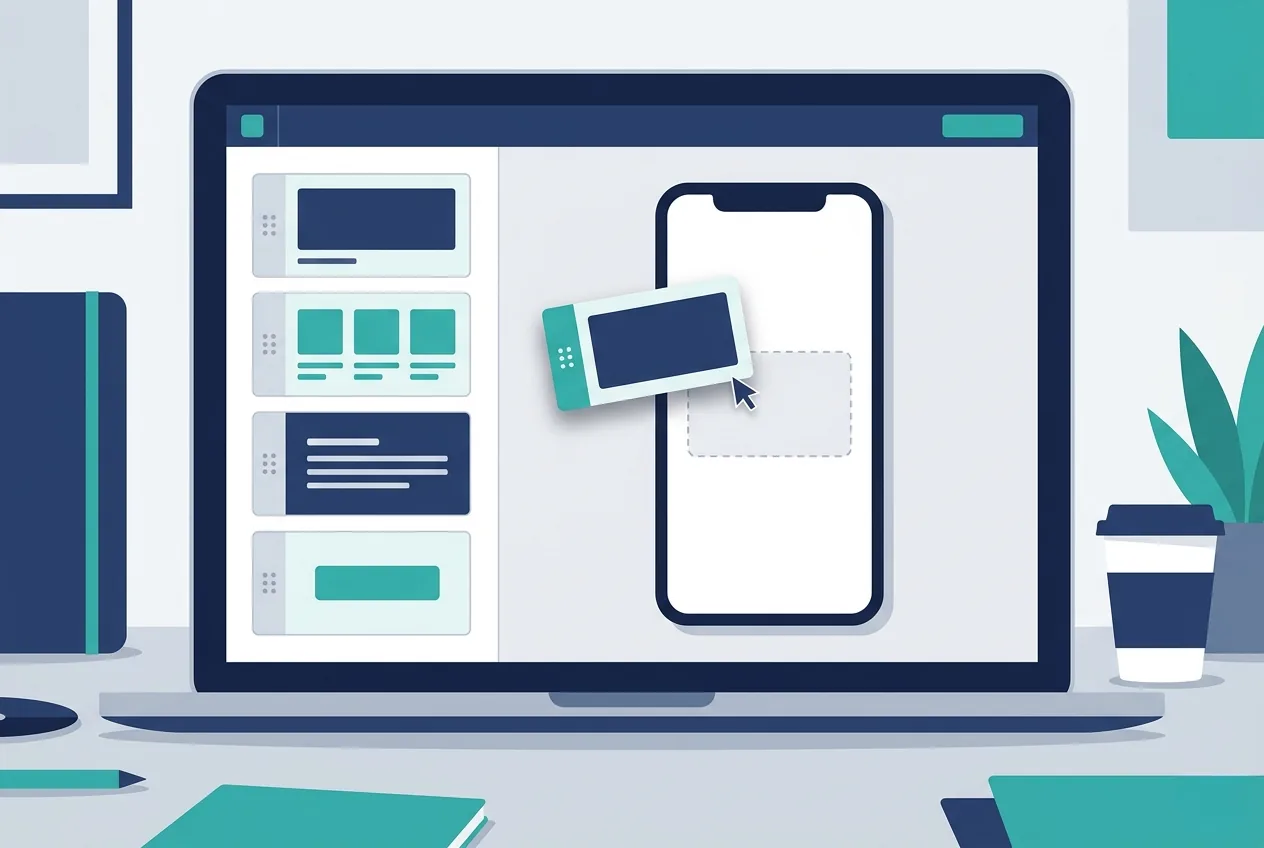
A no-code app builder is a subscription tool you configure yourself. You sign up, use customizable templates, compile the front end of the app, and connect it to your store on the backend.
The output is a native app you can submit to the App Store and Google Play, sitting on top of the catalog, pricing, and checkout you already have.
For smaller or simpler stores, this can be a practical way to get an app. You can find mobile app builders in the Shopify App Store mobile app builder category, with pricing that varies by tool and feature set.
The template-based approach can be limiting, and the need to build and manage it yourself may slow you down. But it can still be a practical way to publish an app on a limited budget.
3. Native development
The traditional way to do this would have been to build a native app from the ground up.
You would write code in Swift, Kotlin, React Native, or Flutter, build custom API connections to link it with your store, and launch a fully custom mobile app.
Realistically, that is too expensive and too much work for most stores. Industry data from Business of Apps puts a complex custom app at $120,000 to $300,000 to build, with timelines running from six months to over a year.
The bigger commitment is what comes after launch. The same research pegs annual maintenance at roughly 15% to 25% of the build cost, which means tens of thousands of dollars every year to fix bugs, ship security updates, and keep the app compliant with each new iOS and Android release.
Unless you already have a mobile development team, converting your site into an app through one of the first two ways is usually better than building a new native app from scratch.
The End Goal: One Store, Three Channels
When you build a mobile app for your store, the outcome you want is a consistent user experience across platforms.
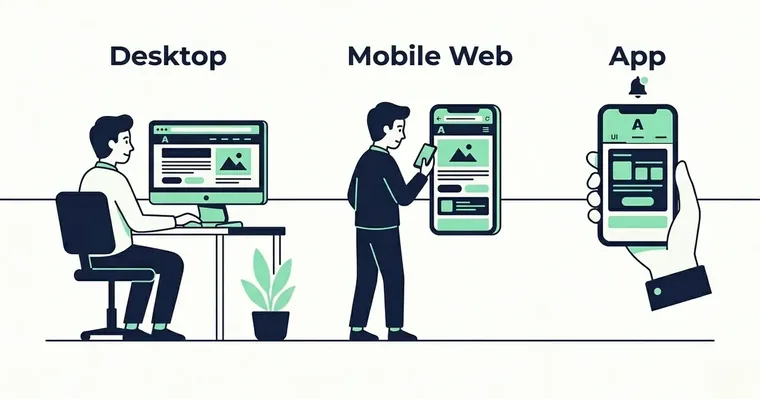
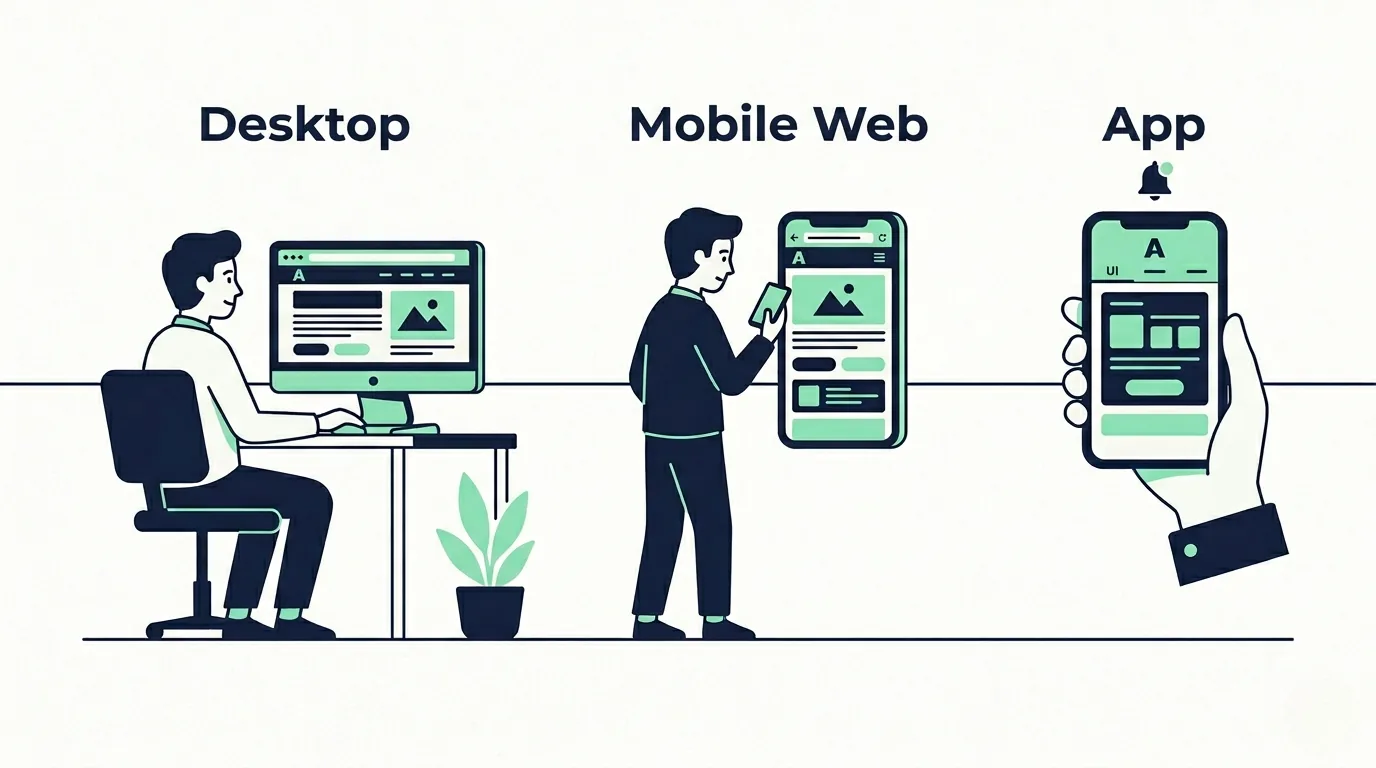
Some customers prefer to shop on desktop. Others prefer the mobile web. Some, usually your most loyal customers, would rather shop in an app.
Some might even shop on multiple channels: browsing in your mobile app, then logging on to desktop later to finish their purchase.
The app, mobile web, and desktop should all feel like the same store and the same brand, with the differences coming from where each channel can deliver more native polish.
That is why the philosophy of converting your store into an app is so important. You want to convert everything that works, and everything that already resonates with your audience, into a new channel.
You have three different ways to engage customers: desktop, mobile web, and app. That is the picture worth holding in mind.
You are not adding an app instead of your website. You are not replacing your mobile website. You are building three unified channels for the same store and giving your best customers the option to spend time in the one that suits them.
When a Mobile App Is Not the Right Move
Not every ecommerce store should rush out and launch an app.
For some, even with an efficient build path, an app will not deliver the return needed to justify the cost, time, and effort.
A mobile app may not be the right move yet if:
- Your store is not a natural fit for repeat purchases.
- You have very low mobile traffic share.
- You are running an early-stage or low-revenue store.
- Your mobile website is still slow, confusing, or hard to check out from.
- Your product catalog, supplier workflow, or fulfillment process is not stable yet.
The main point to keep in mind is that you need a strong base of repeat customers shopping on mobile. If you do not have that, your energy is best spent in other channels.
If your brand is a natural fit for an app but you are still in the early stages of growth, focus on scaling acquisition and improving operations first. You can revisit the app idea later.
The Bottom Line
For an ecommerce store, the question is not only whether you can afford a mobile app. It is whether the app will help your best customers come back more often.
The question is how to build it, and what you want it to be.
Do you want it to be a direct reflection of your mobile website that a customer can download from the App Store? Do you want it to offer a more differentiated experience for app users?
Whichever way you go, consistency at the foundational level is important. So is keeping overhead down, which means building it in a way that does not make maintenance harder than the sales it creates.
Converting your ecommerce store into an app can be a smart move. Just make sure the store is ready first.
References and sources
- Mobile app metrics, app revenue, session frequency, session duration, and LTV: MobiLoud ecommerce benchmark report.
- App development costs: Business of Apps app development cost report.
- Shopify app builder pricing context: Shopify App Store mobile app builder category.
- Related Importify article: Enhancing your digital storefront with mobile commerce.
Frequently Asked Questions
How long does it take to convert an ecommerce store into an app?
The timeline depends on the build method and how much customization you need. A simple no-code build can move faster, but setup, testing, and app store review still take time. A custom or managed service usually takes several weeks.
How much does it cost to build an app?
Most ecommerce app paths are ongoing costs. DIY tools may start at a few hundred dollars per month, while managed services and custom development cost more depending on complexity, support, and maintenance.
Who is an ecommerce mobile app for?
An ecommerce app is best for your most regular customers: people who come back, buy often, and want a closer connection to your brand. It is usually not the first move for a store that is still proving demand.
Do I still need an app if my website is already mobile-friendly?
Maybe. A mobile app does not replace your mobile website. It gives loyal customers another way to shop, with app-specific features like push notifications, saved preferences, and faster repeat sessions.
How much work does it take to manage a mobile app?
It depends on the build method. A fully custom app needs more maintenance, while a no-code builder or managed app service can reduce the workload by keeping catalog, pricing, and checkout tied to your existing store.
How do I get customers to download the app?
Make the app visible across your website, email, social channels, and post-purchase flows. Give loyal customers a reason to install it, such as app-only offers, early access, reorder reminders, or restock alerts.