
How to Import Reviews to Your Product Page?
Use Editorify to import reviews to a product page, review the imported content, then publish the reviews where they support shopper trust.
Importing authentic product reviews from source marketplaces can significantly boost your conversion rates and enhance your product listings. Follow these simple steps to import reviews using Importify and Editorify:
Step-by-Step Guide
Step 1: Install Editorify
Navigate to the "Integrations" page in your Importify dashboard
Click the "Install Editorify" button at the bottom of the Editorify card
Step 2: Activate the Integration
Once installed, toggle the switch to activate the Editorify integration
This enables the connection between Importify and Editorify
Step 3: Import Reviews
Go to your "Import List" in the Importify dashboard
Find the product you want to import reviews for
Click on the Editorify icon (speech bubble icon) next to the product
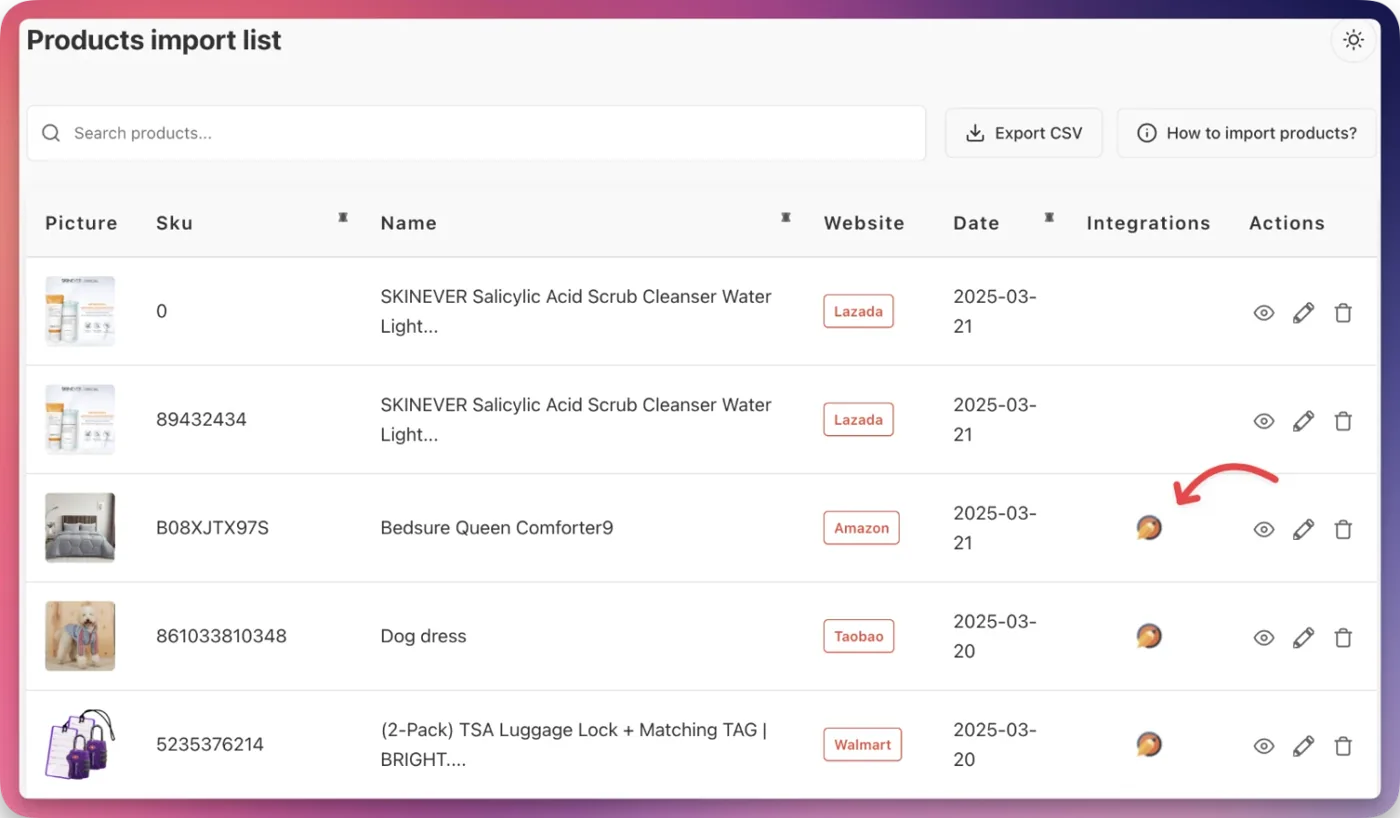
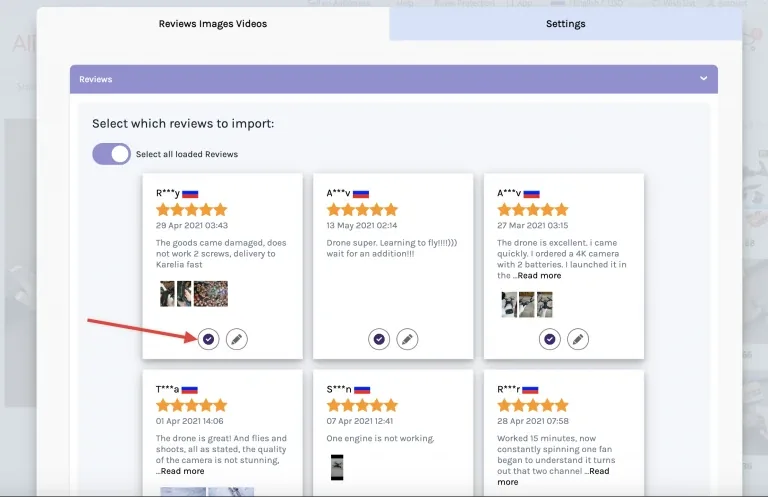
You'll be automatically redirected to the supplier product page
Select the reviews you want to import
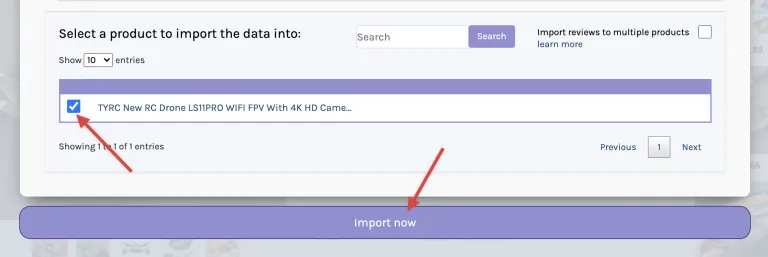
Choose the product to import the reviews to
Click "Import now"
Benefits of Using Editorify
Import authentic product reviews from multiple platforms
Create professional review displays with country flags, review dates, and more
Customize the appearance by adjusting colors, sizes, and styles
Filter out unwanted content with the Profanity Filter
By following these steps, you can easily import high-quality reviews to enhance your product pages and increase customer trust in your store.