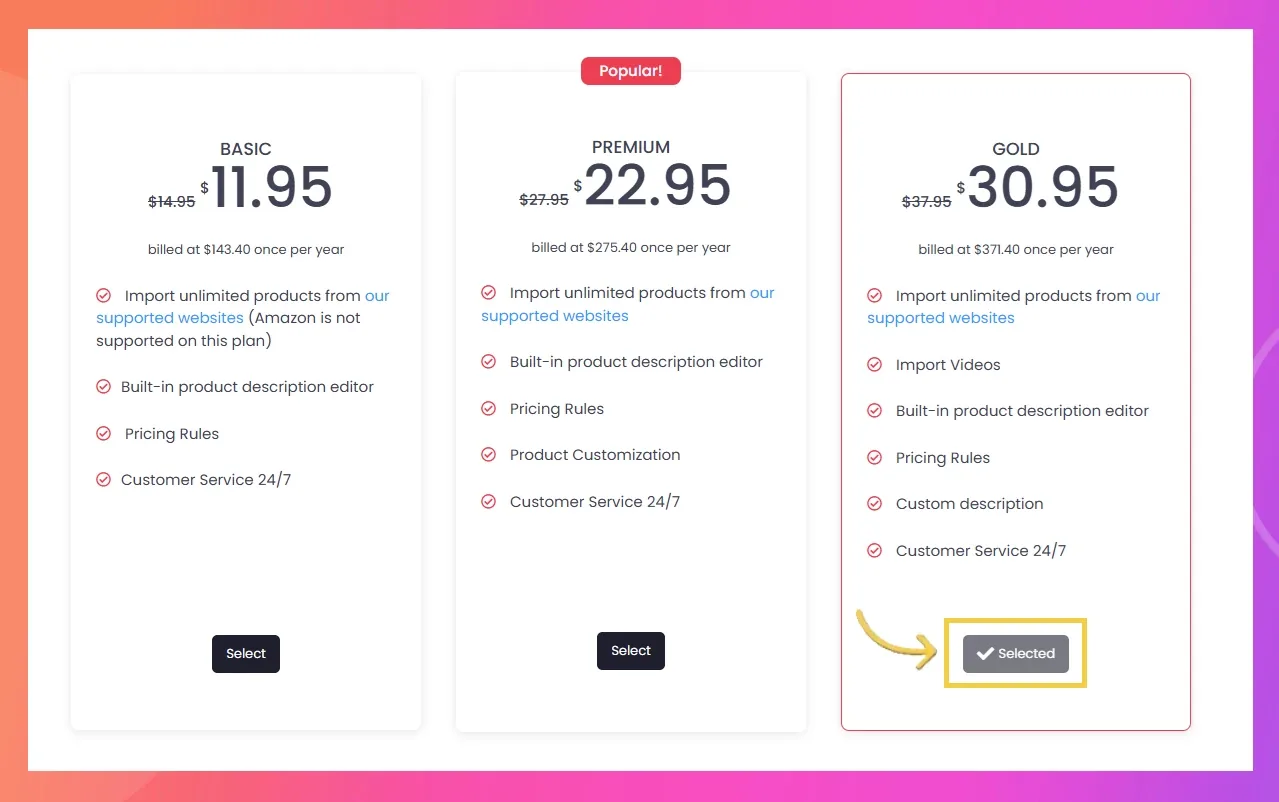
How can I change my subscription plan?
Change your Importify plan from the billing or plans area tied to your store platform. Platform billing rules decide when upgrades, downgrades, and prorated charges apply.
Plan changes are tied to the store platform that manages your subscription. Check the active store first, then change the plan from the matching billing or plans area.
Upgrade or downgrade importify subscription
Shopify
- Log into your Shopify admin dashboard
- Go to the Importify app settings
- Select the "Plans" section
- Choose your desired plan and confirm the change
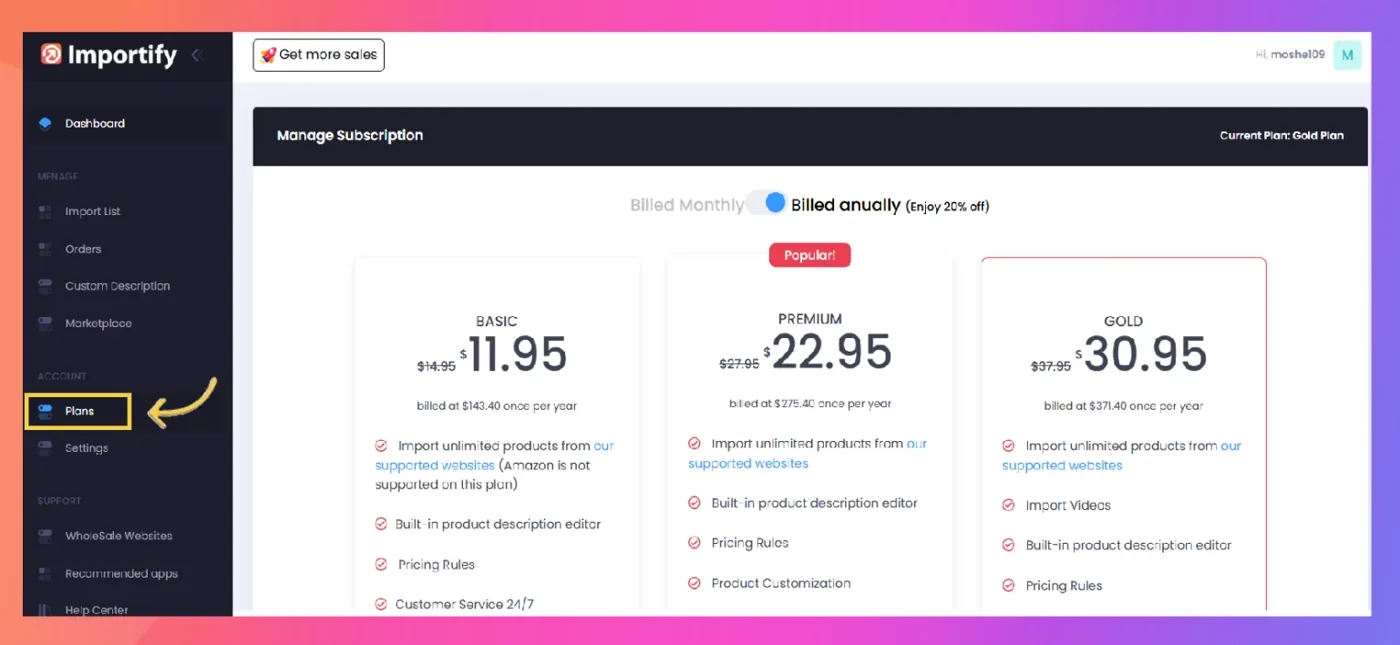
- The new plan will take effect immediately, and billing will be adjusted on your next Shopify invoice
WooCommerce
- Log into your WordPress admin dashboard
- Click on the Importify app from the side menu
- Navigate to the "Settings" section in the Importify dashboard
- Select your desired plan and confirm the change
- The new plan will be effective immediately, and PayPro Global will adjust your billing
Wix
- Log into your Wix admin panel
- Go to the Importify app settings
- Navigate to the "Plans" section
- Choose your new plan and confirm the change
- The new plan will take effect immediately, and Wix will adjust your billing accordingly
Jumpseller
- Log into your Jumpseller admin dashboard
- Access the Importify app settings
- Go to the "Plans" section
- Select your desired plan and confirm the change
- The new plan will be effective immediately, and PayPro Global will adjust your billing
For all platforms:
- Upgrading your plan will give you immediate access to new features
- If you downgrade, you'll retain access to your current plan's features until the end of your billing cycle
- Prorated charges or credits may apply when changing plans mid-cycle, depending on the platform's policies
Remember to review the features of each plan before making a change to ensure it meets your business needs. If you encounter any issues while changing your plan, contact Importify support for assistance.
Importify dashboard plans page screenshot below: