
Can I use Importify on multiple online stores?
Yes, you can use Importify on multiple stores, but each store needs its own Importify installation and subscription. Billing is handled separately for each connected store.
On this page
Multi-store use is supported, but Importify treats each connected store as its own workspace. Keep subscriptions, logins, and billing records separate so imports go to the right store.
Understanding Multiple Store Subscriptions
Subscription Requirements
Separate Subscriptions:
You need to install and subscribe to Importify individually for each store you want to use it with.
Independent Billing:
Each store's subscription is billed separately and independently of the others. Shopify and Wix stores are billed through Shopify and Wix. WooCommerce, BigCommerce and Jumpseller stores are billed through PayPro Global.
Plan Flexibility:
You can choose different subscription plans for different stores based on your needs. For example, you might have the Basic plan for one store and the Premium plan for another.
Billing and Payment Process
Payment Process:
The payment method and process will be the same as for a single store, but you'll see separate charges for each store's subscription.
Managing Multiple Stores
Account Management:
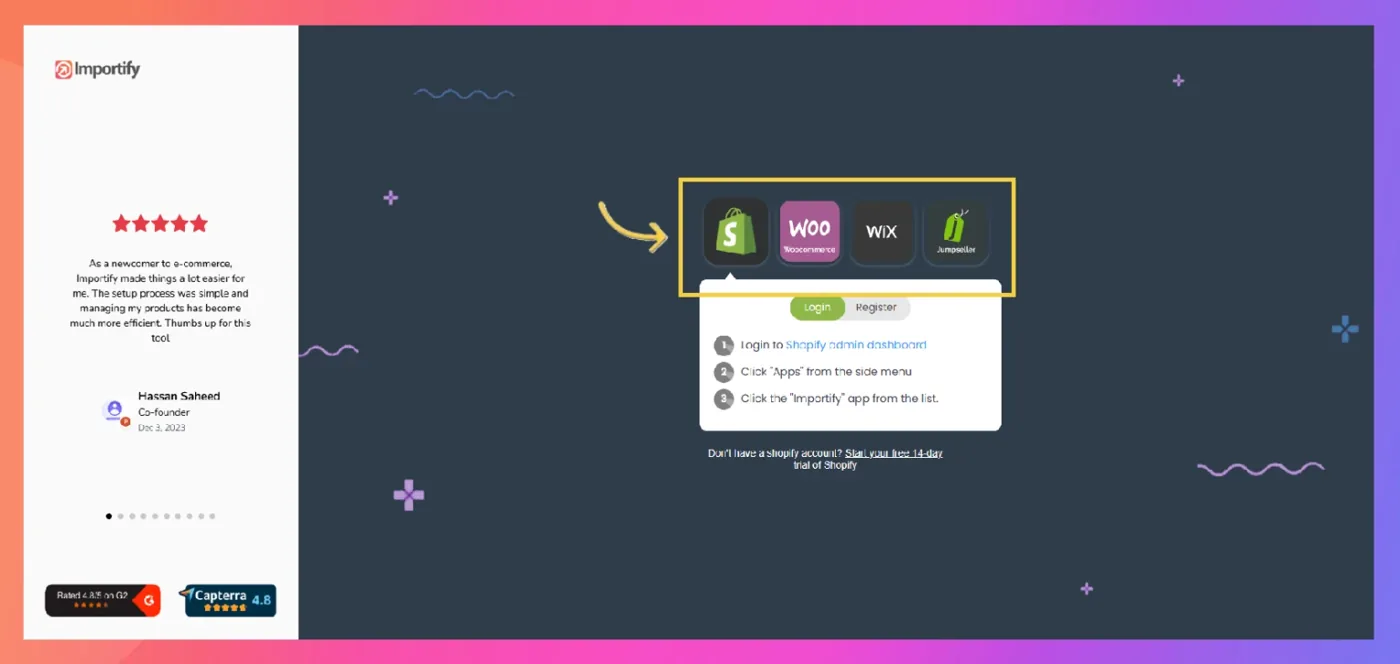
To switch between accounts for different stores:
- Log in to the platform admin dashboard (Shopify, Wix, WooCommerce, BigCommerce or Jumpseller) of the specific store you want to work on
- Access the Importify app from that store's dashboard
- This will automatically link Importify to the current store you're using
Link your stores to one email to sign in once and switch between them (how to sign in with email), and pick the store each product goes to in the Chrome extension (how to choose the store).
Important Considerations
No Multi-Store Discount:
Currently, Importify does not offer discounts for multiple store subscriptions. Each store is treated as a separate account.
Separate Logins:
Each store still opens from its own store admin. Link them to one email to sign in once, and check the store name next to Add to store before you import.
Important
Remember, while using Importify across multiple stores can be beneficial for managing various e-commerce ventures, it's important to keep track of each subscription separately to manage your costs effectively.
Need Help?
If you need help managing multiple store subscriptions or have questions about specific use cases, don't hesitate to contact Importify's customer support for personalized assistance.