
How do I set up the correct permalink structure for WooCommerce in WordPress?
Short answer
Set WooCommerce permalinks to a non-plain structure in WordPress so Importify can connect to the store correctly.
To set up the correct permalink structure for WooCommerce:
Importify checks your permalink structure for you when you activate the plugin: the seven site checks.
Log in to your WordPress admin dashboard.
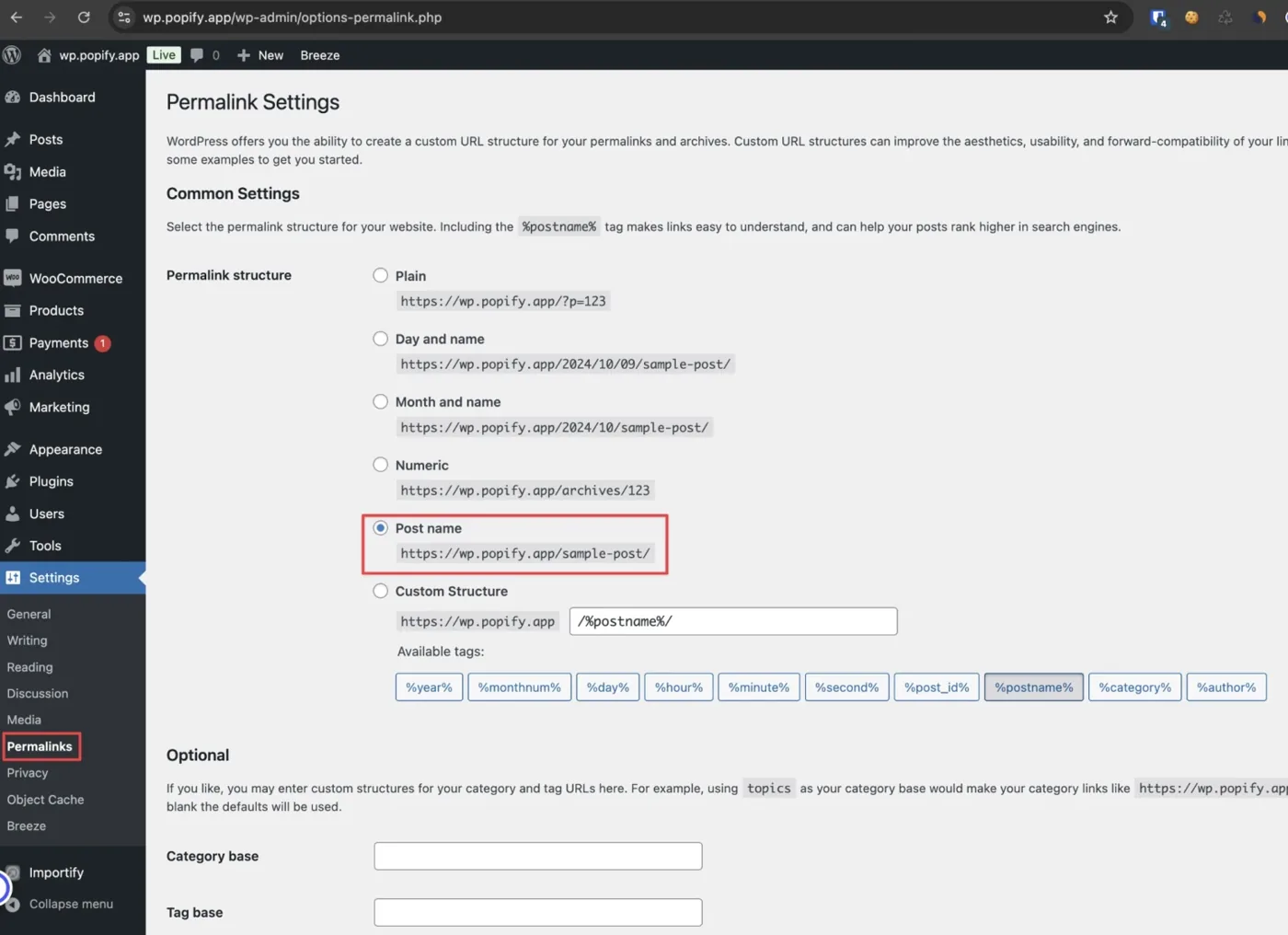
Navigate to "Settings" > "Permalinks".
Under the "Common Settings" section, select the "Post name" option.
If "Post name" wasn't previously selected, click "Save Changes" at the bottom of the page.
Ready to import your first product?Start a free trial and import in minutes.
Start free trial Related articles
Still need help? Contact the Importify support team →