
How to login to my Wix store Importify account?
Short answer
Open your Wix site dashboard, launch Importify from the installed app, and confirm you are signing in to the same Wix store you connected.
To log in to your Wix online store Importify account, please follow the guide below:
1. Make sure Importify is installed on your Wix store.
If you haven't installed Importify yet, please follow this guide
2. After installing the Importify app, navigate to your Store Manage apps section:
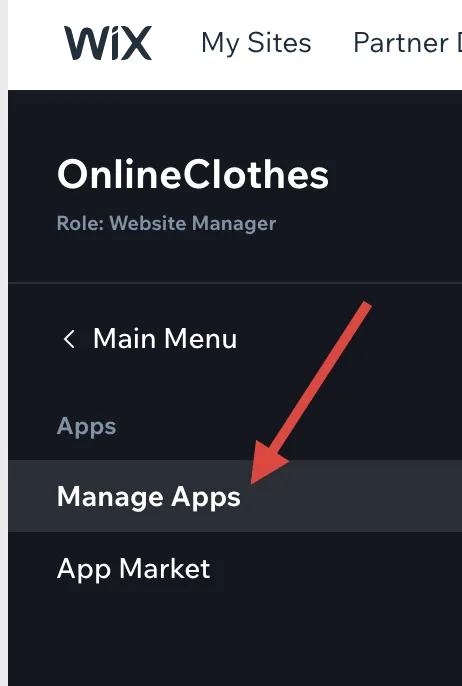
Locate the Importify app on the apps list and click on it:
You will be redirected to your Importify dashboard.
If you have any issues, please contact us here
Ready to import your first product?Start a free trial and import in minutes.
Start free trial Related articles
Still need help? Contact the Importify support team →