
How to import products as drafts
Importify adds products as Active by default. Choose Draft for one product, or set Default Product Status to Draft so every import starts as a draft.
On this page
Importify adds products to your store as Active by default, so shoppers can see them right away. To review products before they go live, choose Draft for one product in the import window, or set Default Product Status to Draft so every import starts as a draft.
Import one product as a draft
Open the product on the supplier site and click Add.
On the Product tab, next to Product Status, click Draft.
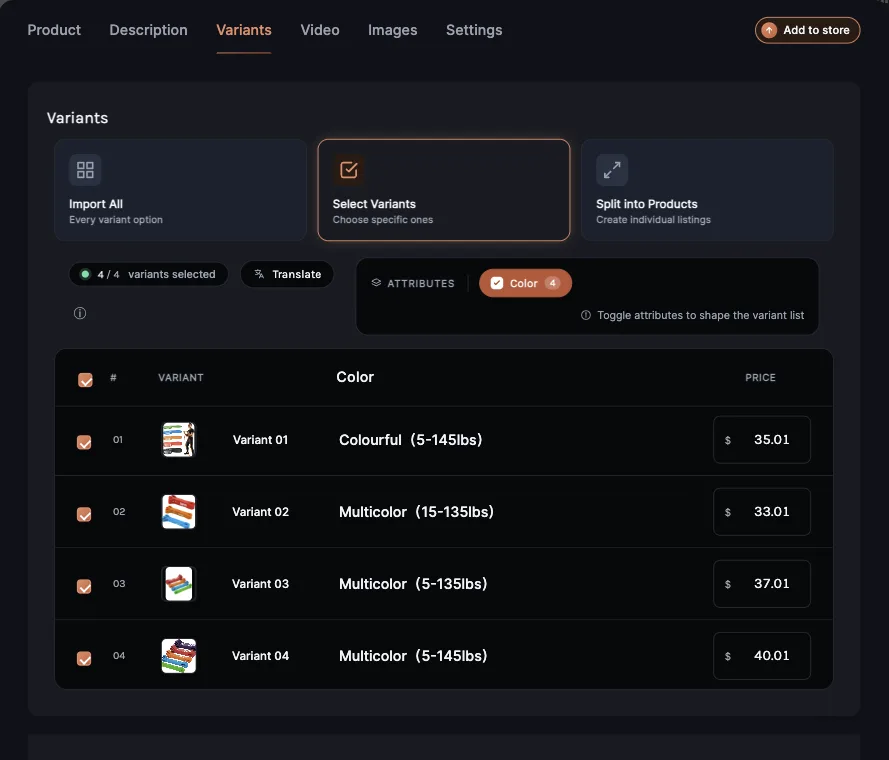
Click Add to store. The success message says the product was saved as a draft.
Make Draft the default for every import
In the import window, open the Settings tab, then General.
Under Default Product Status, click Draft. The setting saves right away.
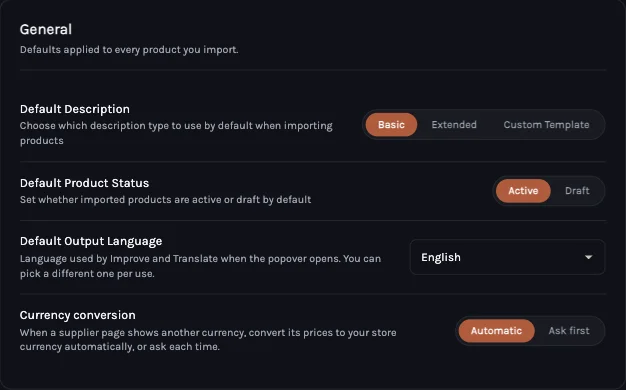
Every product you open after that starts on Draft. You can still switch a single product to Active before you add it.
In the dashboard's Product Finder
When you import from Product Finder in your Importify dashboard, choose Active or Draft under Product Status before you click Add to your Store. It starts on Active for each product, and it's shown for Shopify stores.
What Draft means on each platform
| Platform | What a draft import does |
|---|---|
| Shopify | The product is saved with the status Draft. Set it to Active in Shopify when it's ready. |
| WooCommerce | The product is saved as a draft. Publish it in WordPress when it's ready. |
| Wix | The product is saved but hidden from your store. Make it visible in Wix when it's ready. |
| BigCommerce | The product is saved but hidden from your storefront. Make it visible in BigCommerce when it's ready. |
| Jumpseller | The product is saved with the status Disabled, so shoppers don't see it. Set it to Available in Jumpseller when it's ready. |
Related Guides And References
Frequently asked questions
Do draft products show in my store?
No. Drafts stay hidden from shoppers until you publish them in your store.
Can I make Draft the default?
Yes. In the import window, open Settings, then General, and set Default Product Status to Draft.