
AliExpress API Price Different? Why Website Prices Do Not Match
AliExpress API prices can differ from website prices because of coupons, location pricing, app deals, variant pricing, and update timing.
On this page
The AliExpress website and API can show different prices for the same product because they do not always represent the same offer. The website may apply a coupon, regional price, app-only deal, temporary promotion, or a different variant. The API price is usually the steadier baseline used during import.
Both prices can be valid. What matters is knowing which price you are looking at, checking the exact variant before fulfillment, and leaving enough margin for normal supplier price changes.
Why do AliExpress website and API prices differ?
| Cause | What you may see on AliExpress | Why the API price may differ |
|---|---|---|
| Coupons and promotions | A seller coupon, store coupon, Choice deal, or flash-sale price | The discount may be temporary, conditional, or tied to the website session |
| Location and currency | A price adjusted for your country or selected currency | The API may return a standard price without the same regional adjustment |
| App or new-buyer offers | A lower price available only in the AliExpress app or to a new account | The offer is tied to the shopper, account, or device rather than the product itself |
| Product variants | The lowest price for one size, color, bundle, or shipping option | The API value may refer to a different or default variant |
| Update timing | A price that changed recently on the product page | The website and API may not refresh at the same moment |
The fastest check is to compare the same country, currency, and product variant. Then remove any coupon or new-buyer discount from the comparison. That usually explains the gap.
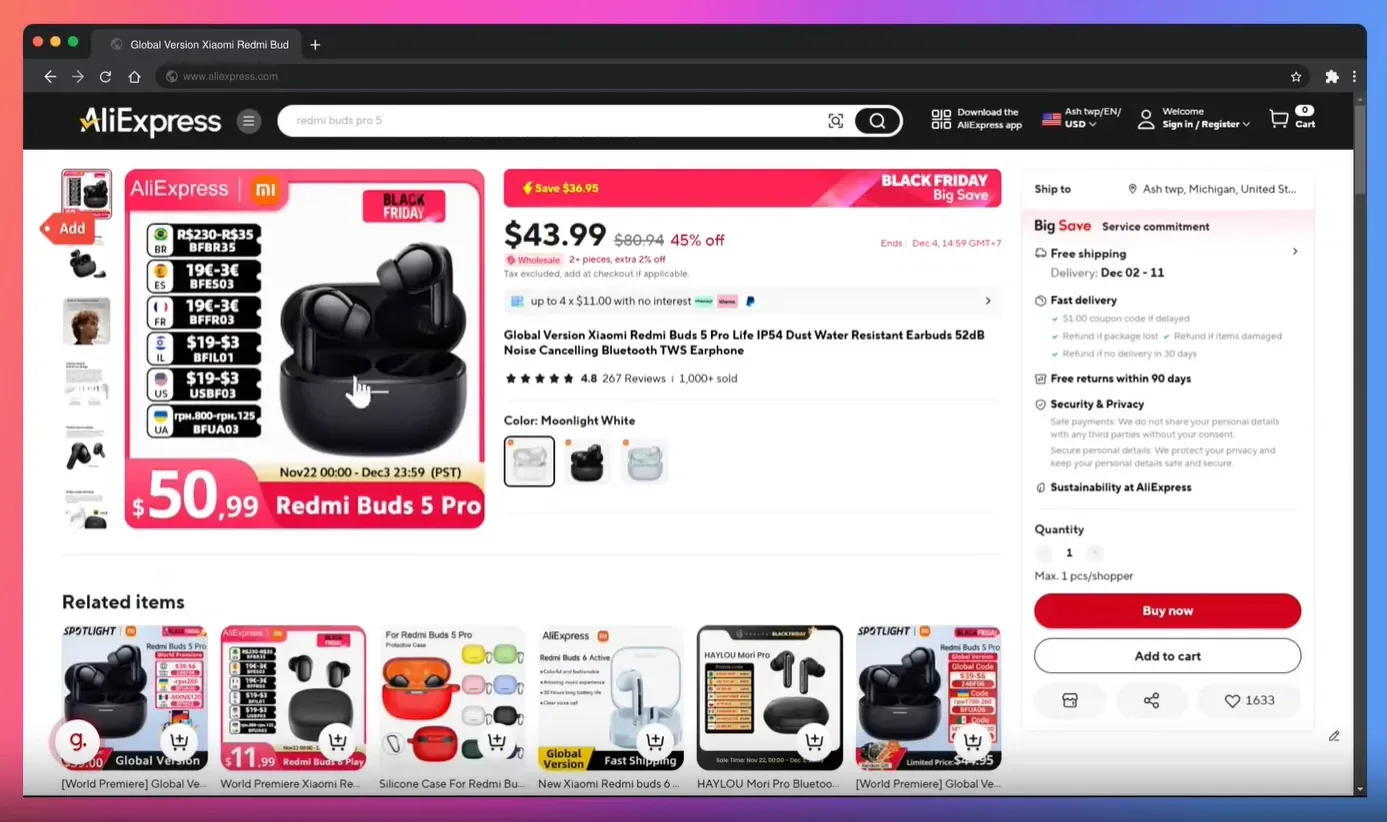
Which AliExpress price should you use?
Use the imported API price as your product-cost baseline when setting up the listing. Before you fulfill an order, open the exact product and variant on AliExpress.com and confirm the live price you will actually pay.
Do not build your retail price around a new-buyer coupon or short promotion. Those discounts can disappear before your customer orders. A stable baseline plus a margin buffer is safer than matching the lowest price visible on the page.
How Importify handles the supplier price
When you import a product, Importify uses the supplier price available through the import as your product cost. You stay in control of the retail price:
- Smart Pricing Rules let you add a markup (multiplier, fixed percentage or fixed amount) and choose a price ending, so build your shipping cost into the markup. Preview the result before importing. See how to set up pricing rules.
- Automated Currency Conversion is available on every plan. It converts the supplier's currency to your store's currency with exchange rates updated daily, which helps prevent a currency mismatch from distorting your cost. Learn how currency conversion works.
Honest note: Importify does not track every AliExpress coupon or flash sale in real time. Treat the imported price as your baseline, then verify the live price before fulfillment. For ongoing updates, see whether Importify syncs prices automatically.
How to protect your margin from price differences
See how currency changes the calculation: converting the supplier price before applying pricing rules.
- Compare the same variant. Match the size, color, bundle, country, and currency before deciding that the prices conflict.
- Remove conditional discounts. Check whether the lower website price depends on a coupon, app-only offer, new-buyer deal, or limited promotion.
- Build a margin buffer. Set a pricing rule that can absorb normal supplier price movement instead of pricing directly at cost.
- Check the live price before fulfilling. Open the exact variant on AliExpress.com and confirm the amount you will pay.
- Review prices during major sales. AliExpress page prices and coupons can move quickly during large promotional events, so verify the cost again before ordering.
A price difference does not automatically mean the API is wrong. It usually means the website is showing a different offer, variant, region, or moment in time. Compare like for like, price from a stable baseline, and verify the final cost before fulfillment.