
Former Oberlo Users: How to Import Your Products to
Oberlo is discontinued. Use Importify to import products from supported suppliers, review the listings, and publish them to your connected store.
[IMPORTANT UPDATE] Oberlo has permanently discontinued its service as of June 2022. If you're looking to continue your dropshipping business, Importify offers comprehensive solutions for importing and managing your products.
If you are comparing tools after Oberlo, see our Oberlo alternative guide for a fuller breakdown of Importify, DSers and other replacement options.
Moving Forward with Importify
While direct Oberlo transfers are no longer possible, here's how you can easily start or continue your dropshipping business with Importify:
Setting Up New Products
1. Install the Importify Chrome Extension
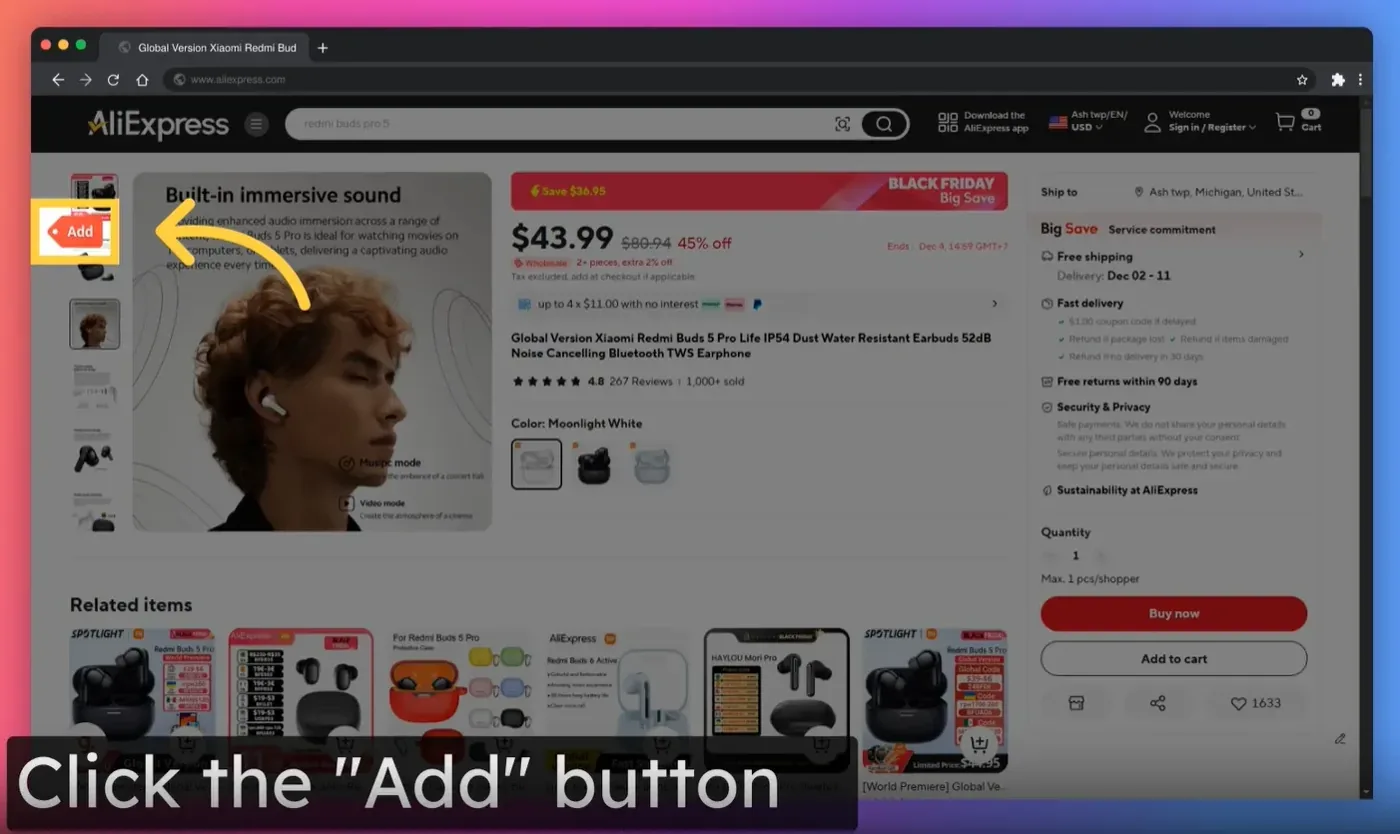
2. Visit your supplier's product page (e.g., AliExpress, or other supported marketplaces)
3. Click the "Add" button on the product page (you can change where it appears in the extension settings)
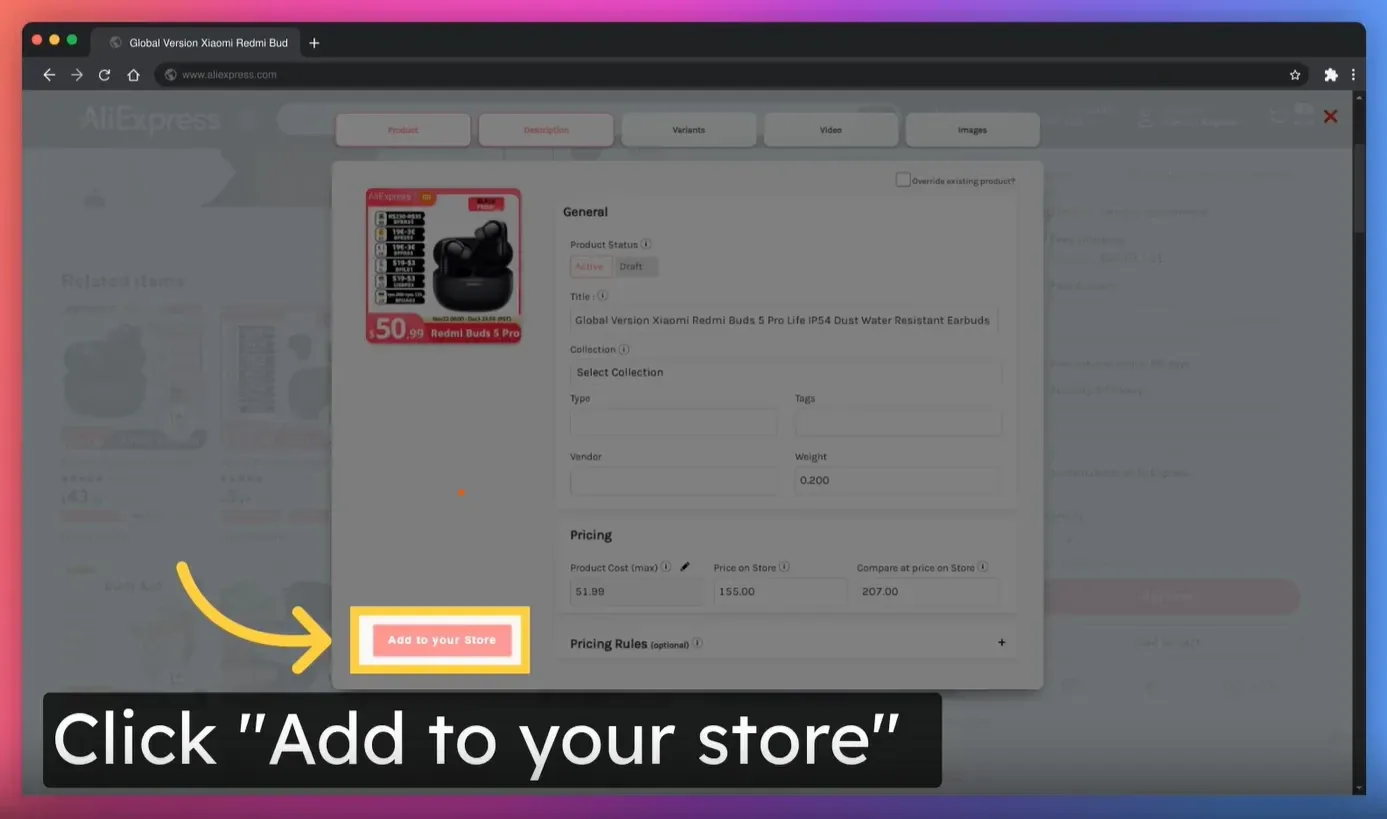
4. Edit product details as needed
5. Click "Add to store" to complete the import
For Existing Store Products
If you already have products in your store that you want to connect to new suppliers:
1. Use Importify's Override Feature:
* Visit the new supplier's product page
* Click the Importify "Add" button
* Turn on "Override existing product"
* Choose the product you wish to update
* Adjust your pricing markup
* Click "Override Product", review the confirmation screen, then confirm
Supported Marketplaces
Importify works with 25+ marketplaces, including:
* AliExpress
* Alibaba
* And many more (See full list at importify.com/suppliers)
Pro Tips for Smooth Transition
* Review and update your pricing strategy
* Verify product availability with new suppliers
* Check shipping options and delivery times
* Update product descriptions and images as needed
* Have a CSV export from Shopify, AutoDS, DSers, CJdropshipping or Zendrop? Import it with CSV Product Import
Need Additional Help?
Contact our support team at supportimportify.com for assistance with setting up your store or importing products.