
How to Handle Product Images & Descriptions?
Review imported images and descriptions before publishing so the product page uses the right photos, cleaner copy, and accurate product details.
On this page
Importify helps import product images and descriptions into your store. It can handle detailed product information to ensure your store has complete data for each item.
Main Product Images
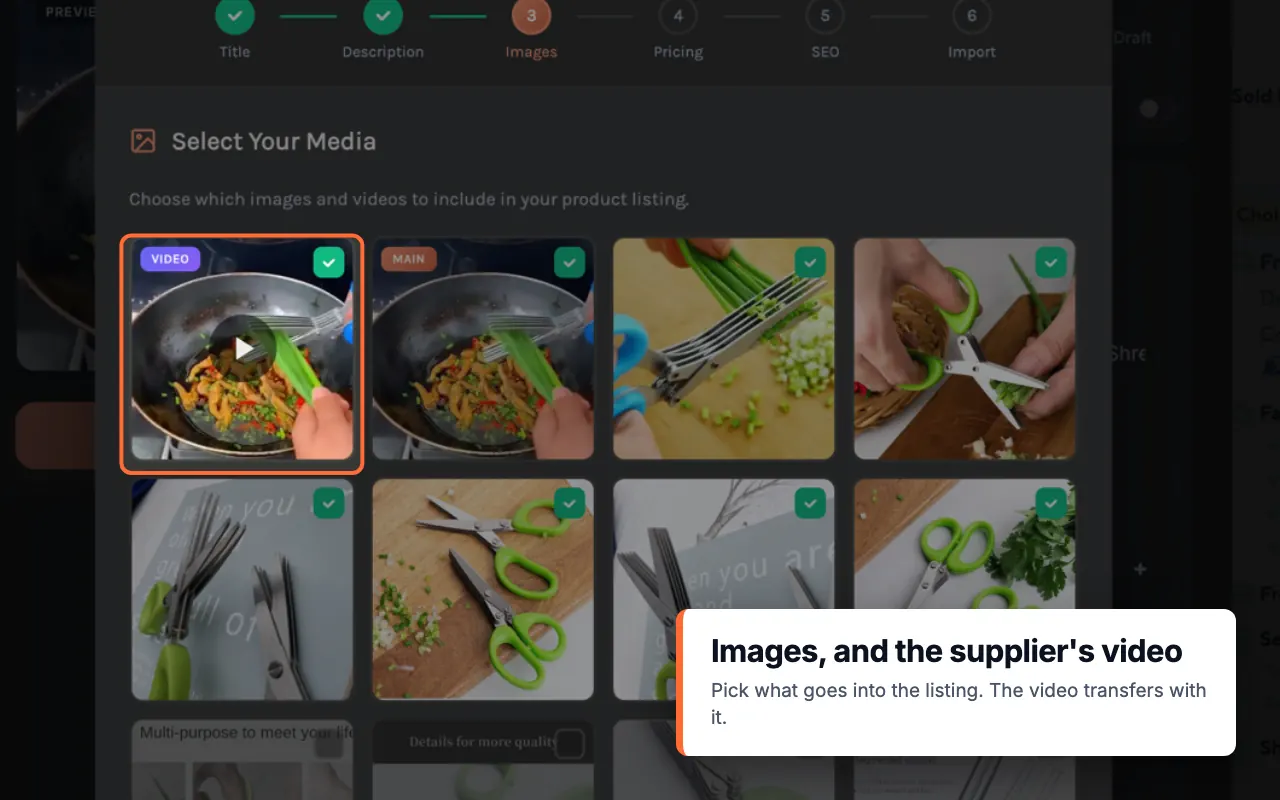
- Importify automatically imports the main product images from the supplier's listing.
- You can select which images to include in your store listing during the import process.
- On Premium and Gold, you can import the supplier's product video too. See how to import product videos.
Image alt text
- Importify gives each imported image real alt text: the product title, plus the color or size on variant images (for example, "Cat Tee - Red").
- This works on Shopify, WooCommerce and Wix stores that use the V3 catalog, for products imported since October 19, 2026.
- You can edit the alt text in your store admin.
Additional Images from Product Descriptions
- Importify can import images embedded within product descriptions, a feature called "Extended description."
- This functionality is available for most popular marketplaces like AliExpress, 1688, and more.
- To use this feature, select the "Extended Description" option in the Description tab during import.
Text Descriptions
- Importify imports the full product description from the supplier.
- You can edit and customize the description before finalizing the import.
Image and Description Customization
- During the import process, you can modify both images and descriptions to suit your store's needs.
- Options include editing text, and removing unwanted content.
Image Quality:
- Importify aims to import high-resolution images when available from the supplier.
Limitations
- The ability to import description images may vary depending on the specific supplier and page structure.
- Some marketplaces may have restrictions on image imports due to their website structure.
To use these features effectively
1. Always review imported content for accuracy and completeness.
2. Use the customization options to align product presentations with your brand.
3. Be aware of any copyright considerations when using supplier images and descriptions.
Remember, while Importify streamlines the import process, it's important to verify and potentially enhance the imported content to ensure it meets your store's standards and accurately represents the products you're selling.
Important
This functionality may vary depending on the specific supplier and page structure.
While we aim to support as many suppliers as possible, there are cases where we might not be able to pull images from the description area due to technical limitations or the way certain product pages are structured.