
How to Import Products From Amazon (Shopify, Wix, WooCommerce & More)
Import Amazon products with Importify on Premium and Gold: open the product, click Add, review the variants and prices, then add it to your store.
On this page
Importify imports Amazon products into Shopify, Wix, WooCommerce, BigCommerce and Jumpseller with the title, description, images, variants, a price for each variant and the product video. Open the product on Amazon, click Add, edit the listing and click Add to store.
Honest note: Amazon import is on the Premium and Gold plans. On Basic, clicking Add on Amazon shows "Unlock Amazon Import" with an upgrade button.
Before you start
You're on Premium or Gold.
The Importify Chrome extension is installed and you're logged in to the store you want to import into.
You have the permission you need to sell the product. Branded products usually need the brand owner's approval.
Import an Amazon product
Open the product page on Amazon. Amazon.com and Amazon's country sites, such as Amazon.co.uk and Amazon.de, are supported. Pick the variant you want to see first, if the product has options.
Click Add. The Importify Add button sits on the product page. Importify reads the product and opens the import window.

Check the Product tab. Choose Active or Draft, edit the title, pick a collection and review the cost and your prices. Product Cost is the Amazon price. Price on Store and Compare at price follow your pricing rules.
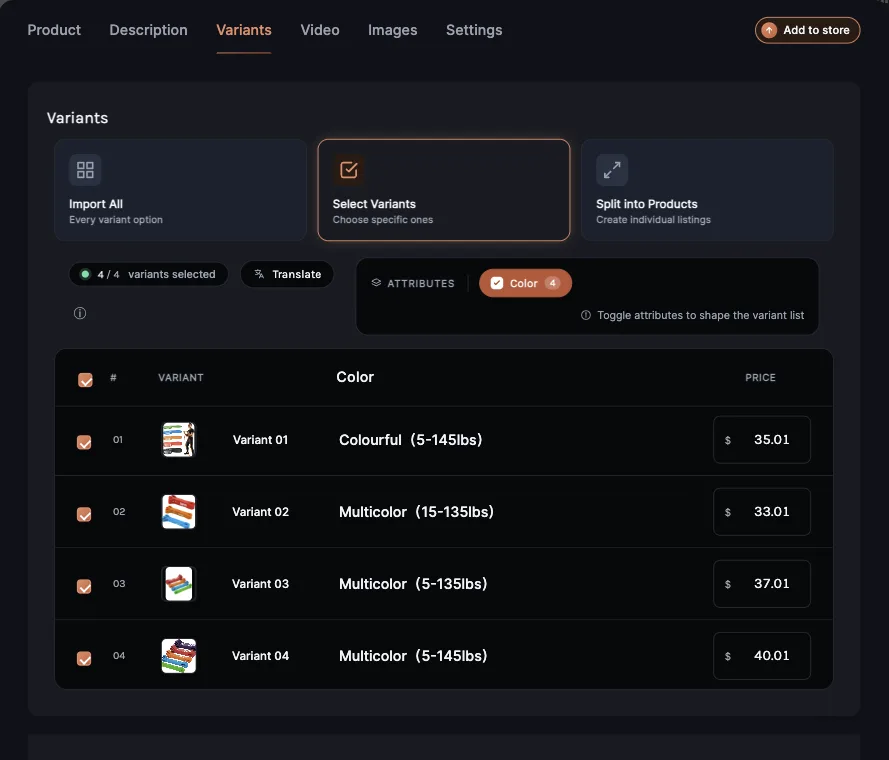
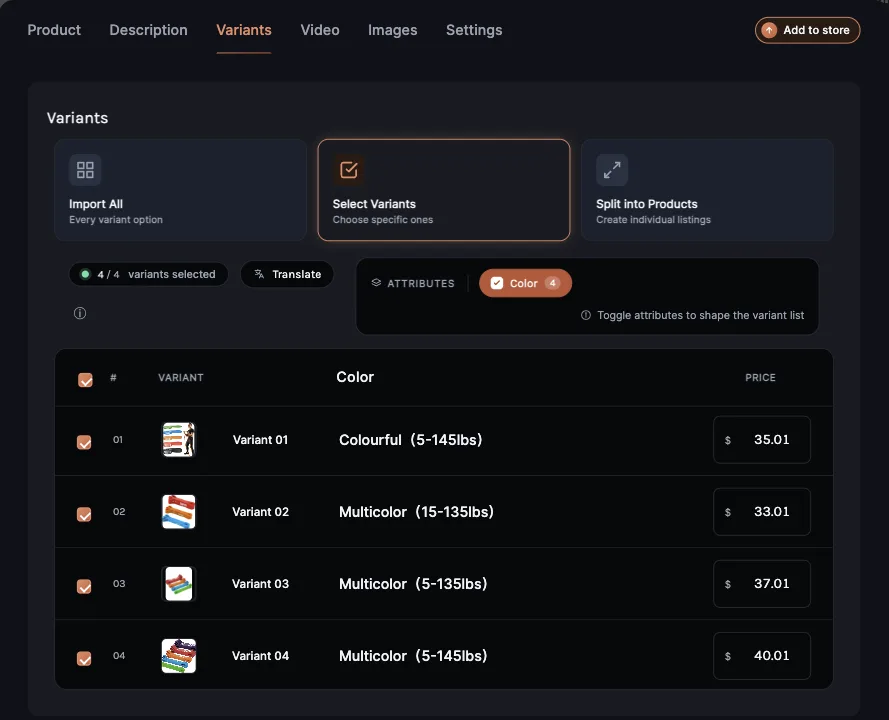
Review the variants. Open the Variants tab. Each variant keeps its own price, worked out from that variant's Amazon price. Choose Import All, Select Variants to untick the ones you don't want, or Split into Products to make each option its own product.
Add the video, if you want it. Open the Video tab and pick the Amazon video. On Shopify, WooCommerce, BigCommerce and Jumpseller it goes into the description. On Wix it goes into the product's media gallery.
Click Add to store. The product goes to your store with its images, variants and prices.
What Importify brings over from Amazon
Variant prices: one price per variant, so a 5-pack and a 10-pack don't sell for the same amount.
SKUs: each variant can use its own Amazon ASIN as its SKU. Turn on Separate to Variants? under Identifiers in the Variants tab to see and edit them.
Currency: if Amazon shows prices in another currency, Importify converts them to your store's currency. See how currency conversion works.
Image alt text: on Shopify, WooCommerce and Wix, images get the product title as alt text, plus the colour or size on variant images.
Fulfilling Amazon orders
When a customer buys an Amazon product from your store, you place the order on Amazon yourself and ship it to your customer's address. Importify's Order Fulfillment feature works for AliExpress orders only.
If something looks wrong
| What you see | What to do |
|---|---|
| "Unlock Amazon Import" | You're on Basic. Amazon import is on Premium and Gold. |
| No Add button on the page | Refresh the Amazon page. Make sure you're on a product page, not a search or category page. |
| Prices in the wrong currency | Check your store currency in the extension's Settings > Store, then see the currency guide above. |
Related Guides And References
- Supported suppliers
- How to customize pricing rules and default settings
- How Importify manages currency conversion
- Rewrite the listing with the AI Product Optimizer
Frequently asked questions
Can I import from Amazon on the Basic plan?
No. Amazon import is on the Premium and Gold plans.
Does Importify order Amazon products for me?
No. You place Amazon orders yourself. Importify's Order Fulfillment covers AliExpress orders.