
How to Create a High-Converting Product Page Using Importify's AI Optimizer
Use Importify AI Product Optimizer to rewrite supplier copy, improve product details, and prepare a cleaner product page before publishing.
On this page
- Short answer
- How to Use the AI Product Optimizer to Build High-Converting Product Pages
- Who Can Use the AI Product Optimizer?
- Why You Shouldn’t Copy Supplier Descriptions
- Why we don’t bulk-import from supplier sites
- What the AI Product Optimizer Does
- How to Set Up and Use the AI Product Optimizer
- B. Translate
- Example Use Case
- Why This Matters
- Optional: Add a Product Video from Supplier
- Related Guides And References
How to Use the AI Product Optimizer to Build High-Converting Product Pages
The AI Product Optimizer is one of the most powerful tools in Importify. It helps you completely rewrite and localize product listings from your suppliers so they’re tailored for your brand, audience, and target market.
This guide explains how it works — and why it’s essential to building a store that converts.
Who Can Use the AI Product Optimizer?
This feature is available to users on Premium and Gold plans.
If you're not on one of those plans, you’ll need to upgrade to access this feature.
Why You Shouldn’t Copy Supplier Descriptions
Supplier product listings (especially from AliExpress, Temu, 1688, and others) are often:
Stuffed with keywords for SEO
Written in broken or translated English
Focused on features, not benefits
Missing clear store policies or FAQs
When you copy those listings directly into your store, you miss the opportunity to stand out. That’s why we rebuild each product listing with purpose instead of bulk-importing from supplier sites.
Why we don’t bulk-import from supplier sites
You might be wondering why Importify doesn’t pull hundreds of products from supplier sites at once like other tools. The answer is simple: bulk import leads to low-quality stores.
Here’s why we intentionally avoid it:
No differentiation: Bulk-imported listings often use the exact same images, titles, and descriptions as hundreds of other stores. Shoppers have no reason to choose you.
Poor SEO: Search engines penalize duplicated content. If your product page matches a supplier or other store, you’re unlikely to rank.
Low trust: Generic, machine-translated descriptions and missing policies turn shoppers away. A store with copied content feels unreliable.
More returns and disputes: Vague, unclear product info leads to buyer confusion. And when you've imported 500 listings at once, it's hard to fix or update any of them.
Instead of chasing quantity, Importify helps you focus on quality. We believe that building a successful store starts with intention, not automation overload. By importing fewer products, you can spend time refining each listing — adjusting the title, rewriting the description, tailoring it to your audience, and ensuring every detail builds trust. This attention to detail transforms ordinary product data into high-converting assets that truly represent your brand.
To move many products at once from a CSV export, use CSV Product Import in the extension popup.
What the AI Product Optimizer Does
The AI Product Optimizer helps you:
Rewrite your product title and description to sound clean and benefit-focused
Translate product text into your preferred language
Generate a helpful FAQ section with up to 10 customer-focused questions
Add a trust section that shows your shipping, return, and refund policies
Match your brand voice, style, and target audience in every listing
You choose how you want the content to sound, and who it’s for. Importify handles the writing.
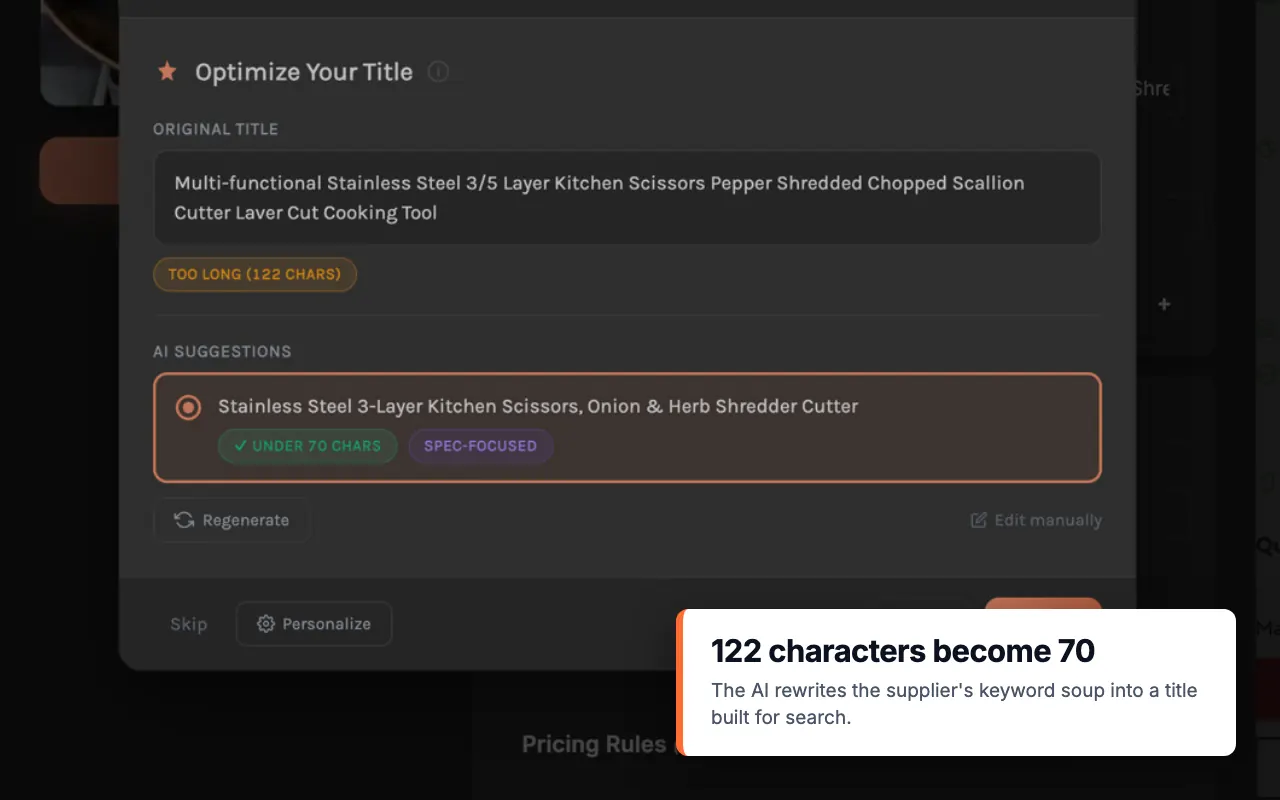
How to Set Up and Use the AI Product Optimizer
The AI tools sit in the toolbar of the Description tab in the import window:
Improve: rewrites the title and description and adds FAQ and Trust sections if they are on.
Translate: translates supplier text without rewriting it.
Personalize: your brand voice, niche, target market and audience.
AI settings: the FAQ and Trust sections.
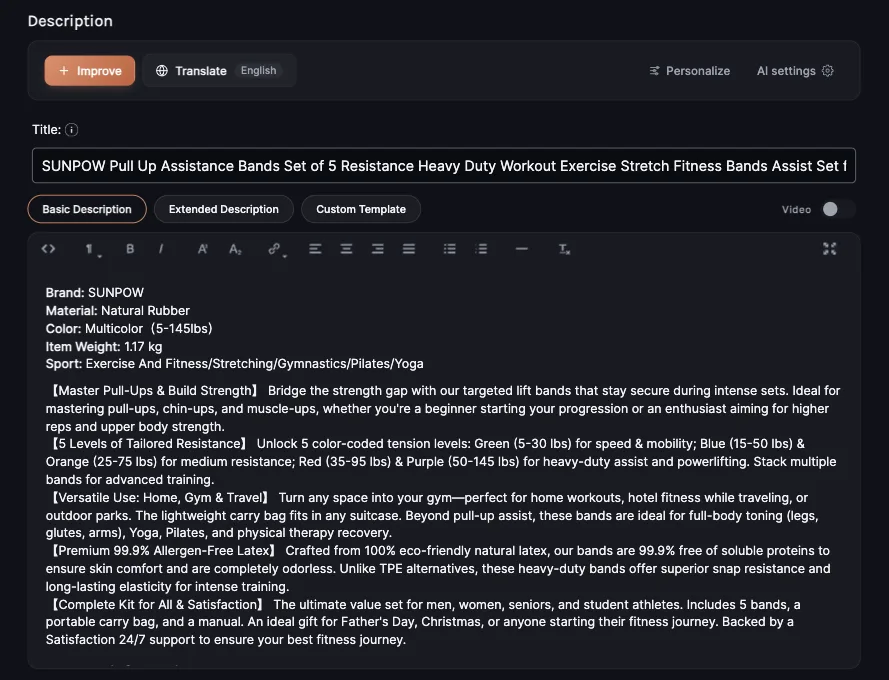
Let’s start with Improve:
A. Improve
1. Select Output Language
This determines the language used in the final product listing, including the title, description, variants, FAQ, and trust content.
You can choose to:
Keep the content in English
Translate it into another language (e.g., Spanish, French, German, Hebrew)
Match the listing to your store’s primary region or audience
Choosing the right language is key for localization and boosting conversion rates in international markets.
2. Set Your Brand Voice
The Brand Voice setting defines how your store “sounds” to your customers. It helps the AI adjust language, attitude, and tone to stay aligned with your brand identity.
Options include:
Bold, Friendly, Luxury, Minimalist or Playful, or write your own with Custom. Set it in Personalize.
3. Define Your Target Audience
Choose who you’re writing for. This setting helps the AI adjust tone, benefits, examples, and vocabulary to better match shopper expectations.
Examples include:
General, Men’s, Women’s, Kids, Tech, Fitness or Home, or write your own with Custom.
In Personalize you can also set your Niche and Target Market (US, UK, EU or Global).
4. Decide on Add-Ons
You can turn on two optional sections in AI settings to complete your listing with buyer-focused details:
FAQ Section
You can choose how many questions to include
Select which topics you want to address: product usage, warranty info, technical specs, and more
These questions help reduce pre-sale doubts and support inquiries.
Trust Section
Includes Guarantee type (e.g. “Satisfaction Guarantee” or “Money-Back Guarantee”)
Define refund policy, processing time, shipping time, and contact details
This section boosts trust and sets clear expectations for delivery and support.
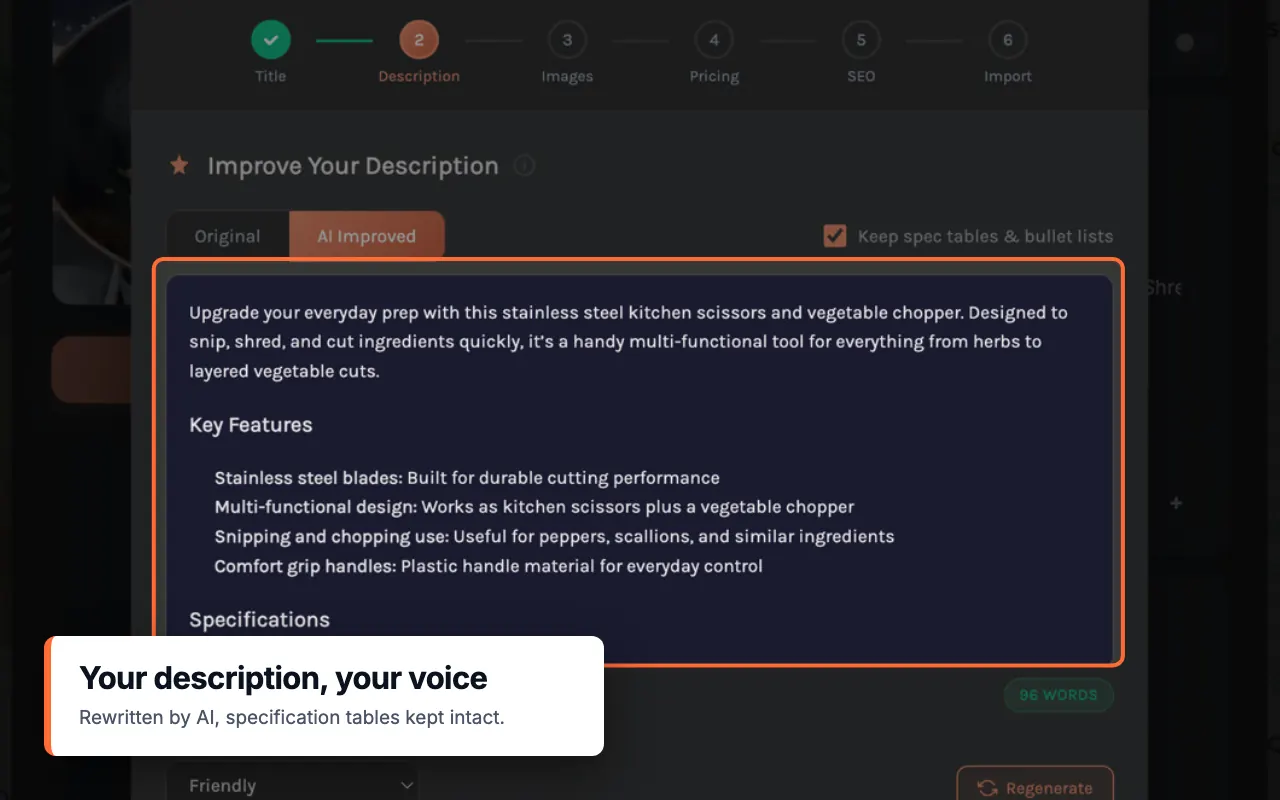
5. Click Improve
Once your preferences are set, click Improve and pick the output language. The AI will:
Rewrite your product title and description
Apply your chosen voice and audience
Automatically build FAQ and trust sections (if enabled)
After generation, you’ll see a preview of the content. You can make manual edits before pushing the listing to your store.
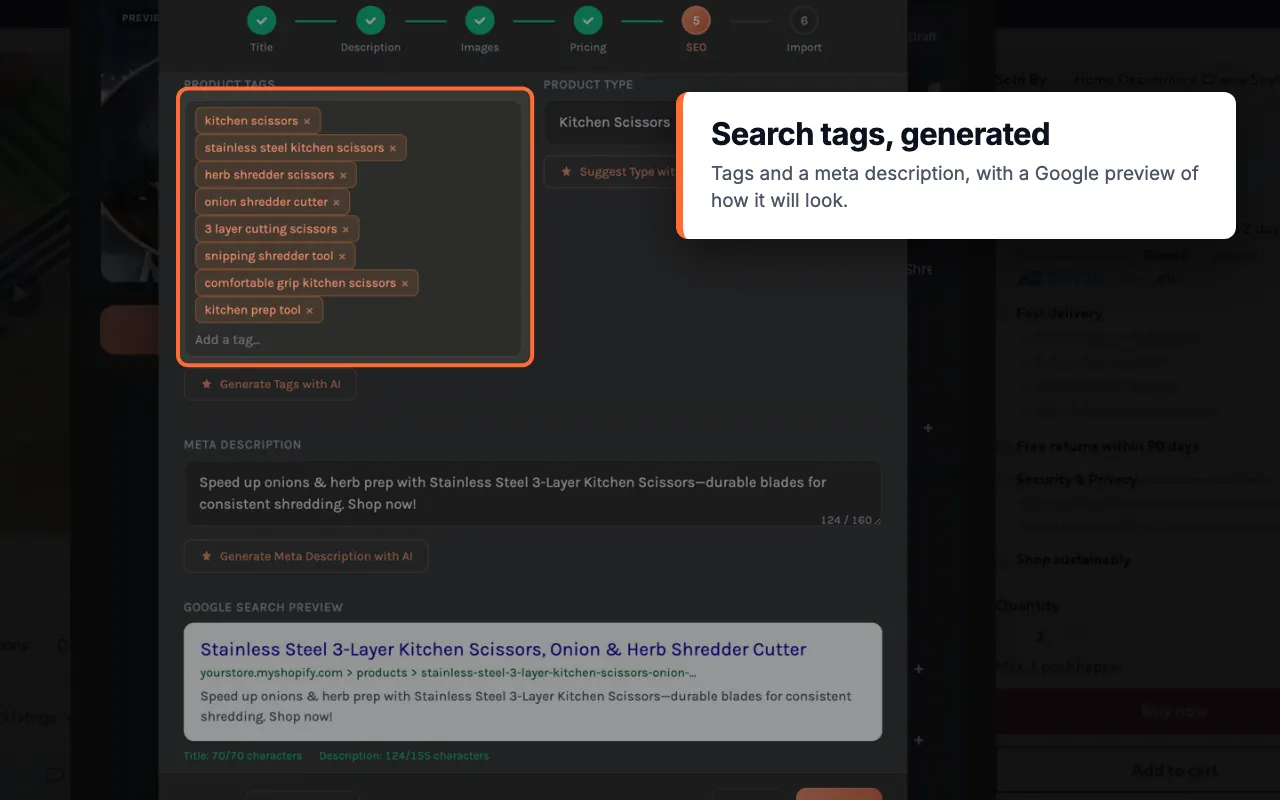
B. Translate
See the two translation choices in action: choosing an output language and keeping the supplier structure.
If you only need to translate the supplier content without rewriting it, click Translate instead of Improve.
This mode will:
Translate the product title, description, and variant names
Keep the original structure and formatting intact
Skip optimization, rewriting, or brand voice settings
When to Use It:
You want a fast and accurate translation of supplier content into your store’s language
You’re importing from platforms like 1688, Taobao, or AliExpress with non-English listings
You operate a multilingual store and need localized versions of the same product
Benefits:
Expand into new markets with translated listings
Improve trust with shoppers in their native language
Maintain consistency across regional storefronts
This tool is ideal for store owners who want speed and simplicity — without skipping localization.
Example Use Case
Here’s a real-world example of how the AI Product Optimizer completely transforms a supplier listing into a brand-aligned product page:
Original Title:
Wood Watch Groomsmen, Engraved Watch, Watch Leather Band Men, Unique Father's Day Gift Ideas, Watch with Custom Engraving
AI-Optimized Title:
🎩 Luxury Engraved Wood Watch for Men – Perfect Groomsmen & Father's Day Gift
AI-Optimized Description (excerpt):
Experience the pinnacle of elegance with our Personalized Men's Watch — a masterpiece of luxury and craftsmanship. Combining natural wood and a refined leather band, this timepiece is both distinctive and timeless. Housed in a handmade wood box, it’s designed to impress and last.
🎁 Make a lasting impression with a gift that will be cherished for generations.
FAQ Highlights:
How can I personalize the watch?
What materials are used?
Is there a warranty?
Why is this watch considered luxury?
Trust Section Added:
14-day Money-Back Guarantee
Refunds processed within 48 hours
Shipping in 2–3 business days
This optimized listing speaks directly to luxury shoppers and gift buyers — not just about the product, but the feeling of giving or wearing it.
You import a dog bed from 1688.com. The original title is:
"2025 Upgrade Waterproof Orthopedic Dog Bed for Large Dogs Memory Foam Washable Cover Non-Slip Grey Brown Blue"
The AI transforms it into:
Orthopedic Dog Bed with Washable Cover – Supportive, Stylish, and Mess-Free
And rewrites the description to highlight:
Cozy comfort for pets
Easy cleaning for owners
Durable build for long-term use
It also adds a trust section:
✔ 14-day refund guarantee
✔ Ships in 2–3 business days
✔ Free returns on all orders
And an FAQ with real questions like:
“Is the cover machine washable?”
“What size dog is this best for?”
Why This Matters
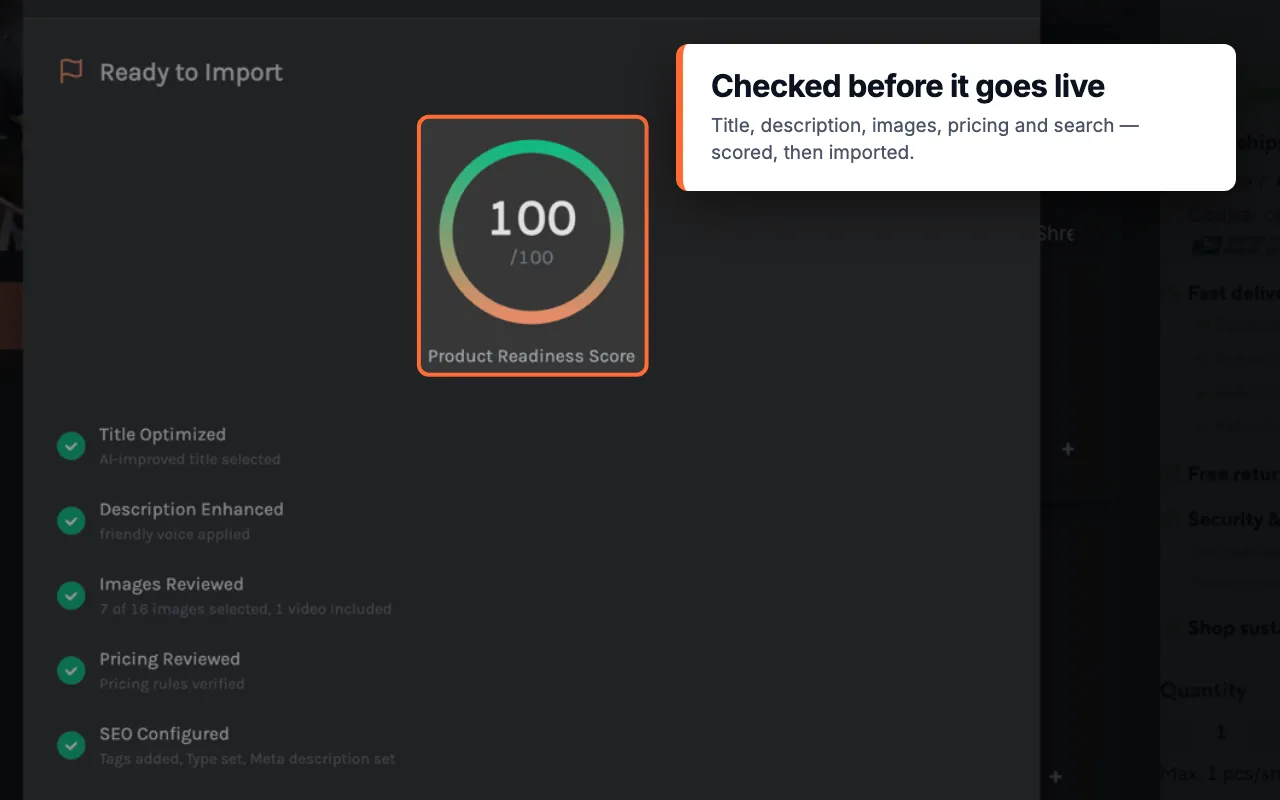
In dropshipping, anyone can import a product — but only serious store owners rebuild it into something valuable. This tool helps you:
Save hours rewriting content manually
Match your store tone and values
Increase trust and conversions
It’s not just about automation. It’s about standing out with better content.
Optional: Add a Product Video from Supplier
If the supplier listing includes a video, you can embed it directly into your description.
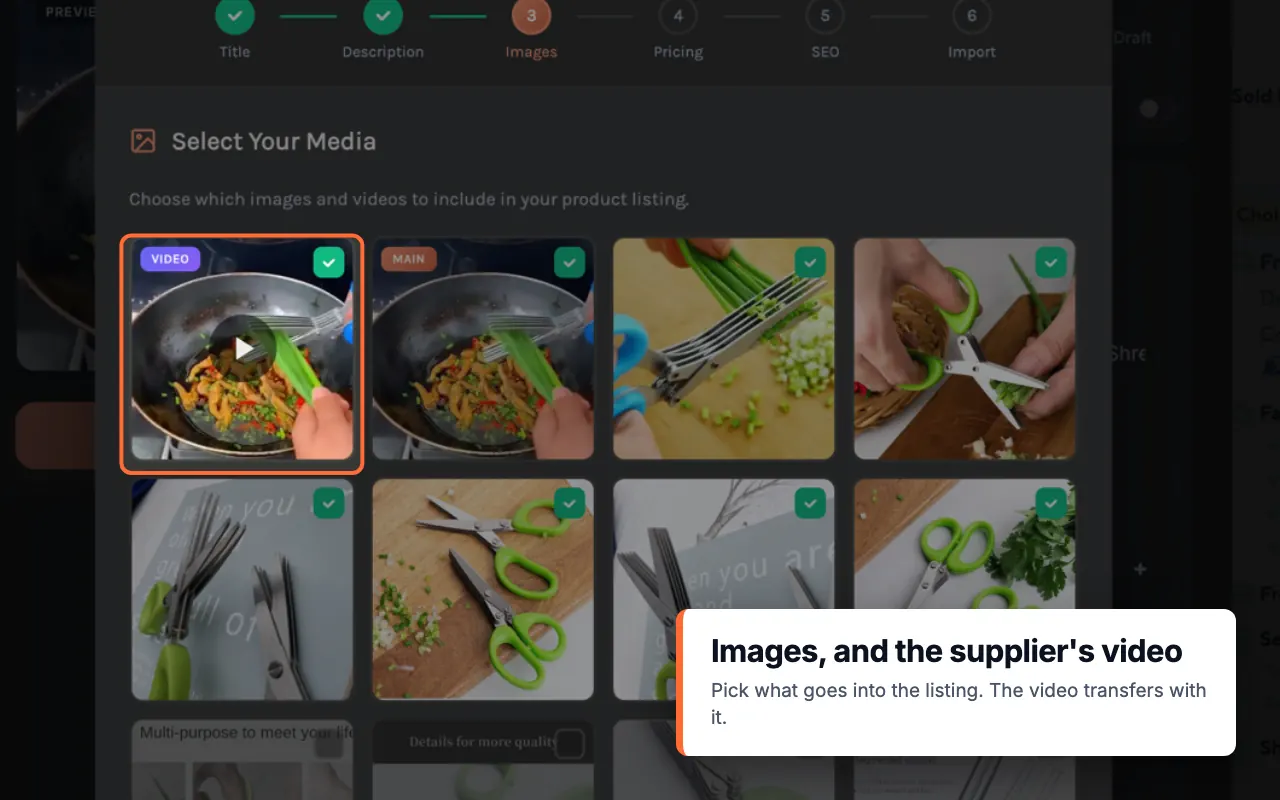
How to do it:
Go to the Video tab inside the Importify extension
Click “Select” under the supplier video you want
In the Description tab, turn on Video
Why it matters:
Videos boost engagement, increase trust, and show real-life product usage. Video import is on Premium and Gold.